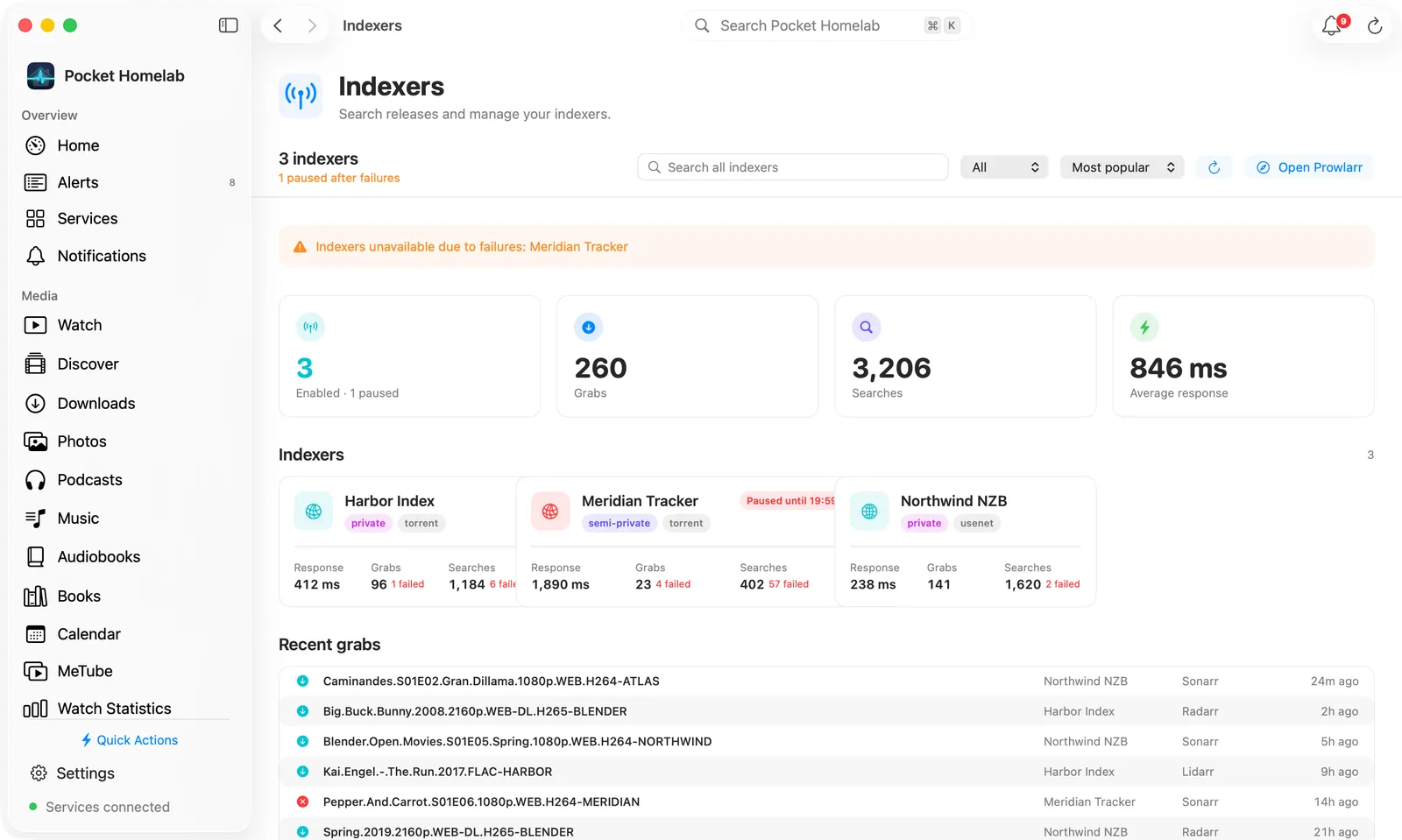
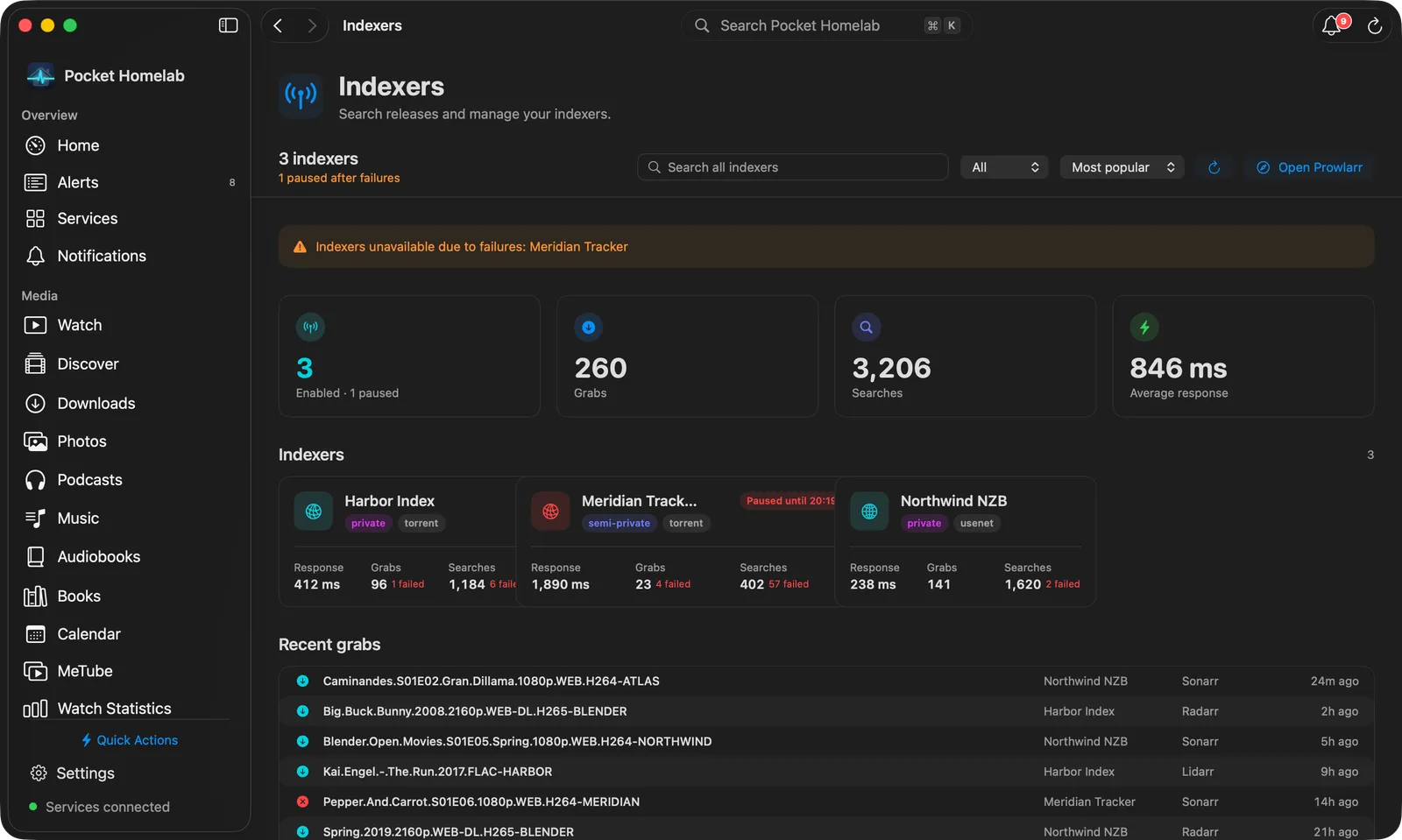
Search every indexer at once and grab a release straight into your download client, with indexer health at a glance.
iPhoneMacOn this page
Prowlarr manages your indexers. Pocket Homelab gives it an Indexers hub: indexer health, recent grabs, and a
search across every indexer at once with a single tap to grab.
What you get
Home tile (“Indexers”): value <n> indexers (enabled count), caption shows paused indexers, a health
problem, or the most recent grab, red when something is paused or errored, orange for warnings, teal otherwise.
Header widget (“Indexer health”): the same information as a pinned banner.
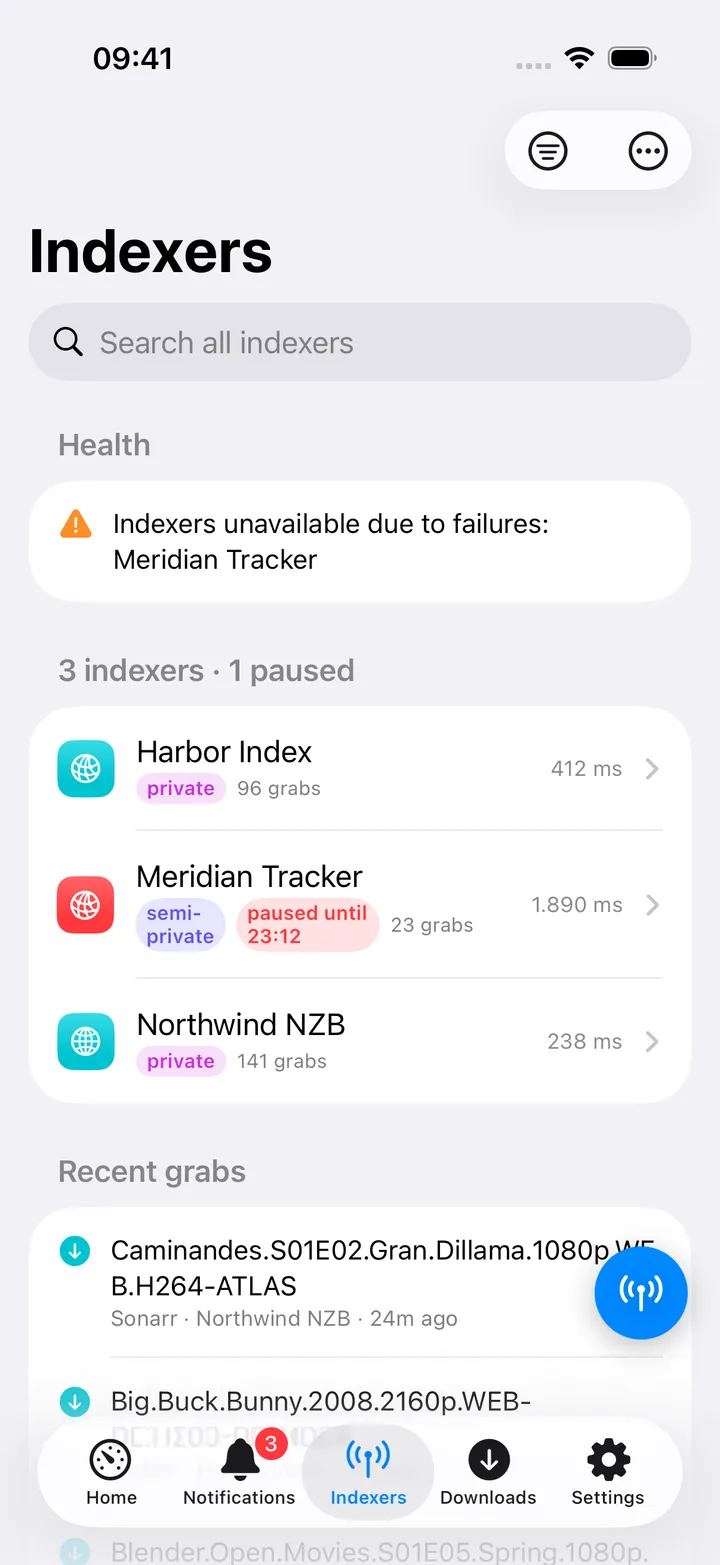
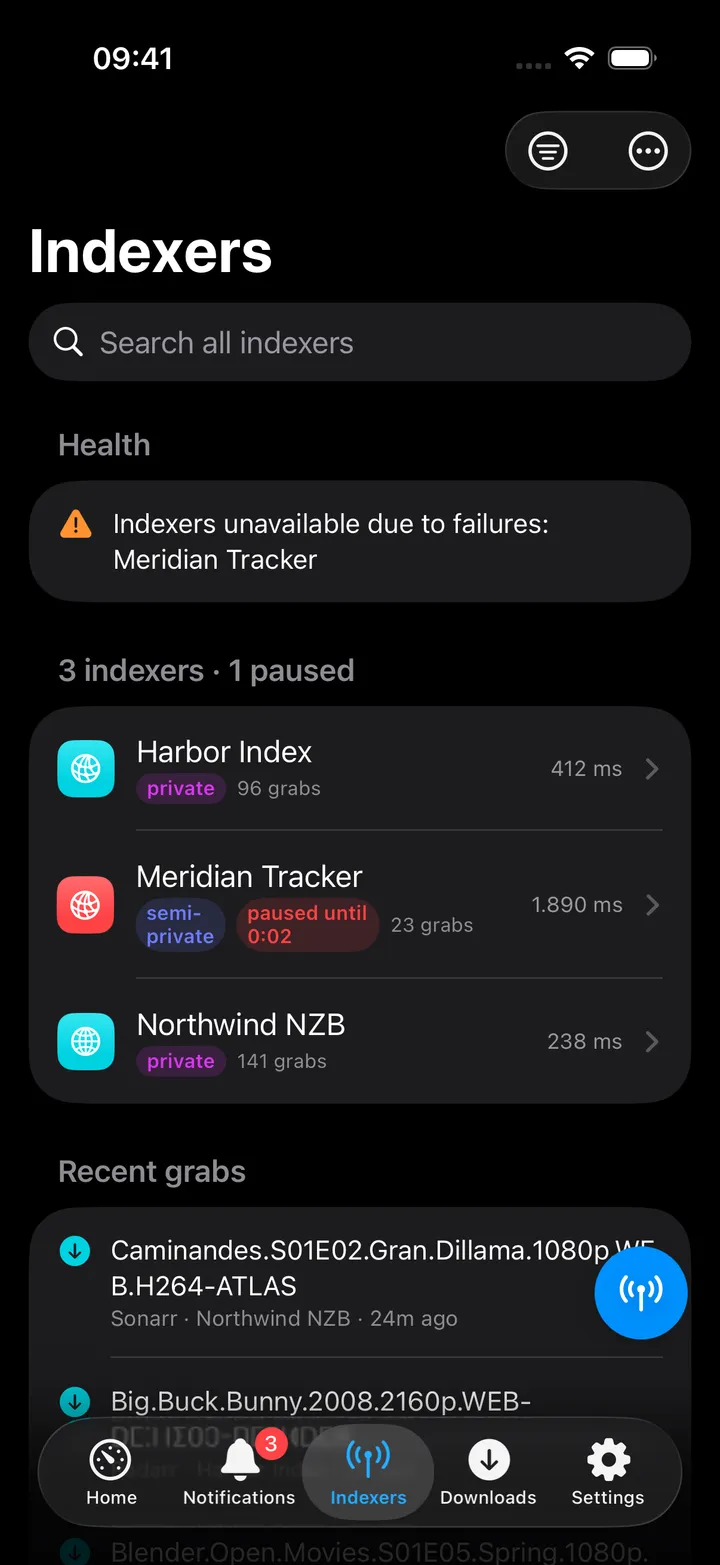
Indexers hub: Health section, the indexer list with response times and pause state, and Recent grabs.
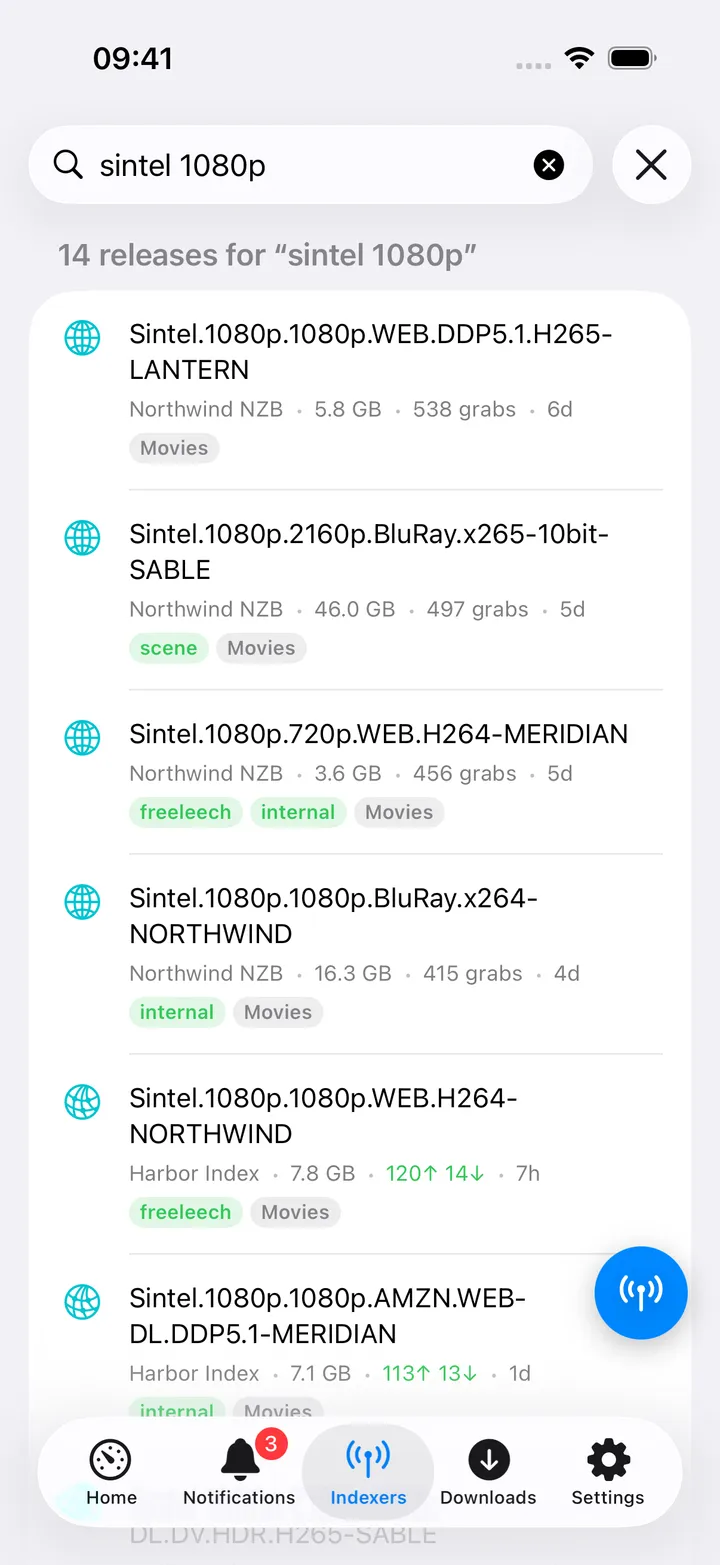
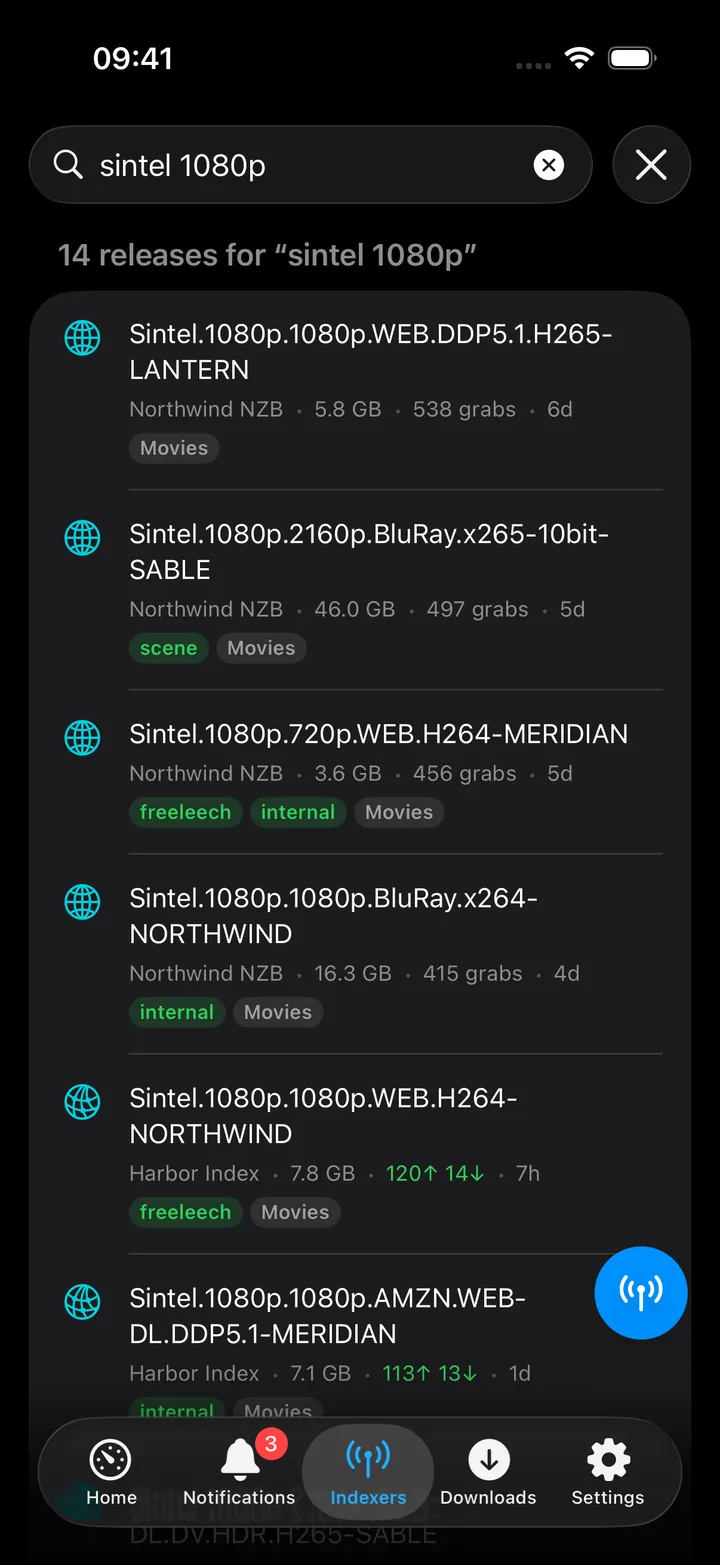
Search: type 3+ characters to ask every enabled indexer at once (or scope to one), with category and sort
filters.
Quick action: Search indexers opens the hub, ready to search.
Spotlight: typing 3+ characters shows “Search indexers for “…””, the palette never runs the search itself,
it just opens the screen with the query filled in.
Set up
In Prowlarr, open Settings → General and copy the API Key.
In the app, go to Settings → Services → Prowlarr, paste the URL and key, then press Test connection.
Both the URL and key are required, a URL alone shows nothing here.
Key
Field
Required
Secret
Where to get it
PROWLARR_URL
Prowlarr URL
Required
—
Base URL of your instance. Leave empty to hide Prowlarr features.
PROWLARR_API_KEY
API key
Required
Secret
Settings → General.
Both the URL and key are required, a URL alone shows nothing here.
On iPhone
Indexers hub: Health warnings, the indexer list, and Recent grabs. Each indexer row shows its privacy
level (public / semi-private / private), whether it is disabled or paused (with the pause expiry), grab count and
average response time.
Search results: seeders/leechers or grab count, size, age and flags. The Filter menu narrows by category
(Movies, TV, Music, Books, PC) and sorts by Most popular, Largest or Newest. Tap a release, swipe it,
or use the context menu to Grab release, always behind a confirmation naming the indexer, size, and which
client (torrent/Usenet) it is sent to. The context menu also has Open release page and Copy title.
Tap an indexer for its own page: its row, Search followed by its name (a search limited to that indexer), its failures
and when a pause ends, Statistics (searches, grabs and RSS syncs with their failures, average response), its
recent grabs, priority, date added and Open in Prowlarr.
The screen action button (the round button beside the +) holds Search all indexers, the categories, the
sorts, Refresh, Open Prowlarr and every indexer, to open its page. The first five show until you choose
your own; turn the button off in Settings → Screen action buttons.
There is no way to copy a magnet link or download a raw .torrent/.nzb from here, grabbing sends it straight
to whatever download client Prowlarr itself has configured for that protocol.
On Mac
Indexers on the Mac: the search bar, tiles, one card per indexer and the recent grabs.
Indexers sits under Infrastructure in the sidebar. A bar at the top shows how many indexers are enabled and
whether any are paused or warned, with Search all indexers, a category menu, a sort menu, Refresh and Open
Prowlarr. Below it:
Health warnings, then tiles for the enabled indexers, Grabs, Searches and Average response.
One card per indexer: privacy and protocol, Paused until… or Disabled, then response time, grabs and
searches with their failures. Click a card to open the indexer; right-click it to search only that indexer or copy
its name.
Recent grabs as a table: release, indexer, the app that grabbed it and when.
Type three or more characters and the page turns into a table of releases: title with flags and categories,
indexer, size, peers (or grabs for Usenet), age and a Grab pill. Click a row to grab it after the same
confirmation as on iPhone; right-click to open the release page or copy the title.
One indexer’s page is a bar with its protocol, name, privacy, priority, date added and state, plus Refresh
(⌘R), Open in Prowlarr and a Search button for that indexer alone. Tiles show Searches, Grabs, RSS
syncs, Average response and Success rate, each noting failures; its recent grabs sit beside a Status
card (state, privacy, protocol, whether it supports search, priority, added, and when it last failed or is paused
until).
⇧⌘L opens Indexers as a quick action, and the Mac ⌘K palette offers “Search indexers for “…”” the
same way.
Actions
Grab a release: POST /api/v1/search with the release’s guid; Prowlarr forwards it to the download client
configured for that protocol in Prowlarr itself. Your app’s own qBittorrent/SABnzbd/slskd settings are not
involved, and no file is downloaded by the app. Always behind a confirmation dialog.
Everything else (search, indexer list, health, stats, history) is read-only. There is no per-indexer enable,
disable, test or edit here, indexer configuration stays in Prowlarr’s own UI.
Works with
Radarr / Sonarr / Lidarr / Chaptarr (Media calendar): a release’s detail screen gains “Search indexers” once
Prowlarr is configured, pre-filled with a per-app query and category.
Downloads (qBittorrent / SABnzbd): no direct link; a grab shows up in the Downloads tab only because
Prowlarr sent it to the same client, not because the app tracked it there.
“Recent grabs” doubles as an activity feed for the whole *arr stack, since grabs made by Radarr/Sonarr/Lidarr via
Prowlarr show up here with their source app named.
Tips & troubleshooting
A search across every indexer can take a while, the request allows up to 40 seconds, much longer than most other
screens in the app.
“Paused” here means Prowlarr’s own automatic backoff after repeated failures, distinct from an indexer you
disabled yourself in Prowlarr, disabled indexers are excluded from the paused/problem count entirely.
“Most popular” sort mixes two different metrics: seeders for torrents, grab count for Usenet.
Health, stats and recent-grabs can fail independently without hiding the indexer list, only the indexer list
itself failing shows a full error.
A wrong key shows “API key rejected. Copy it from Prowlarr → Settings → General.”