
Backrest
Backup plan and repository health, overdue detection and recent runs on the Home dashboard, the Backup Health screen and the Mac Backups page.
iPhoneMacOn this page
Backrest is a web UI over restic for scheduled backups. Pocket Homelab logs in with your Backrest account and works out whether each backup plan and repository is current, overdue, or actually failing, not just “last run succeeded.”
What you get
- Home row “Backups”: “3 plans” or “Attention”, with a summary like “3 plans · 1.20 TiB cached repository data” or “2 need attention · 1.20 TiB cached repository data · partial”.
- Issue chip “Backups need attention” (orange) whenever any plan or repository needs attention, or the last load failed.
- The Home card refreshes on its own slower cadence, every 60 seconds, not the usual 30.
- Spotlight entry “Backups” (backrest, restic, snapshots, plans).
- ntfy category
backup(backup, snapshot, restic, backrest) deep-links to Open Backups. - Mac: the Backups page in the sidebar’s Infrastructure group, a Backups widget on Home, and a Backups entry in the Home Status widget with status Healthy / Attention / No backup plans.
- Notes: the What needs attention and Homelab snapshot blocks in the note editor’s
/menu.
Set up
- Backrest’s own web UI login (username/password) is what Pocket Homelab uses, there is no separate API key to generate.
- In Pocket Homelab: Settings → Services → Backrest, paste the base URL, username and password, then Test connection. Optionally set the freshness grace period (see below).
| Key | Field | Required | Secret | Where to get it |
|---|---|---|---|---|
BACKREST_URL | Backrest URL | Required | — | Base URL of your Backrest instance. Leave empty to hide Backrest features. Plain http(s), no credentials, query or fragment. |
BACKREST_USERNAME | Backrest Username | Optional | — | Web UI username. Defaults to admin if left empty. |
BACKREST_PASSWORD | Backrest Password | Required | Secret | Web UI password. |
BACKREST_GRACE_HOURS | Backup Freshness Grace (Hours) | Optional | — | Extra time beyond each schedule before it counts as overdue. Defaults to 2 hours (valid 0–168). Manual plans have no deadline. |
Overdue detection, in plain terms
Pocket Homelab does not just ask “did the last run succeed”, it computes a health label per plan and per repository:
- If the latest completed operation failed or warned, that wins outright: Failed, Warnings, or Cancelled (with “· running” if another run is already in progress).
- If the schedule is manual or disabled: Manual (plans) / No check scheduled (repositories), no freshness deadline applies, whatever the last successful run shows.
- If nothing has ever succeeded: Never run / Never verified, or First run in progress.
- If the schedule can’t be evaluated (an unsupported cron expression): Freshness unknown.
- If the time since the last success is longer than the schedule’s nominal interval plus your grace hours: Overdue.
- Otherwise: Current (plans) / Verified (repositories), or Running while a check is in progress.
BACKREST_GRACE_HOURS is exactly that cushion in step 5, extra time beyond the nominal schedule before Pocket
Homelab calls a backup overdue, to absorb a server that was asleep, a slow network, or a backup that just started
a little late. It defaults to 2 hours and accepts 0–168.
On iPhone
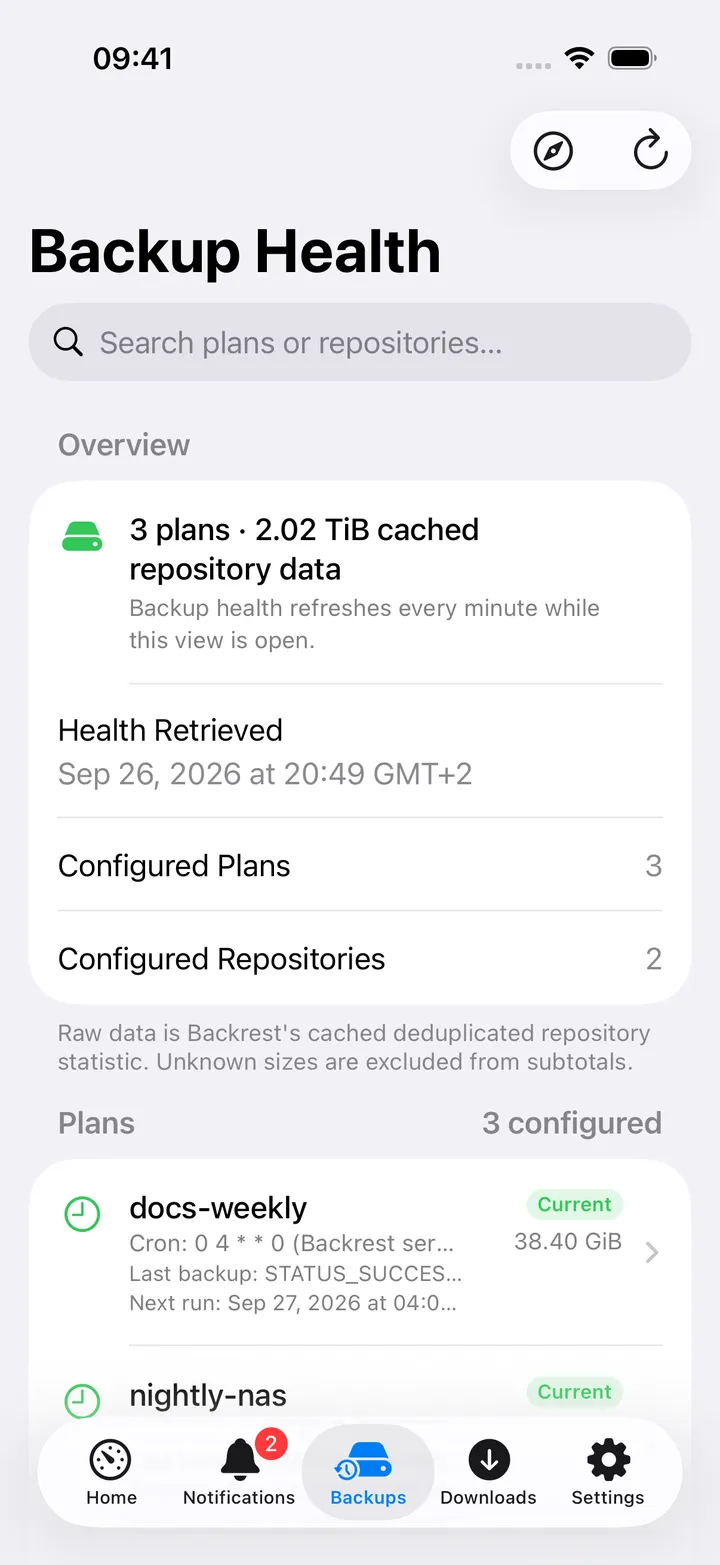
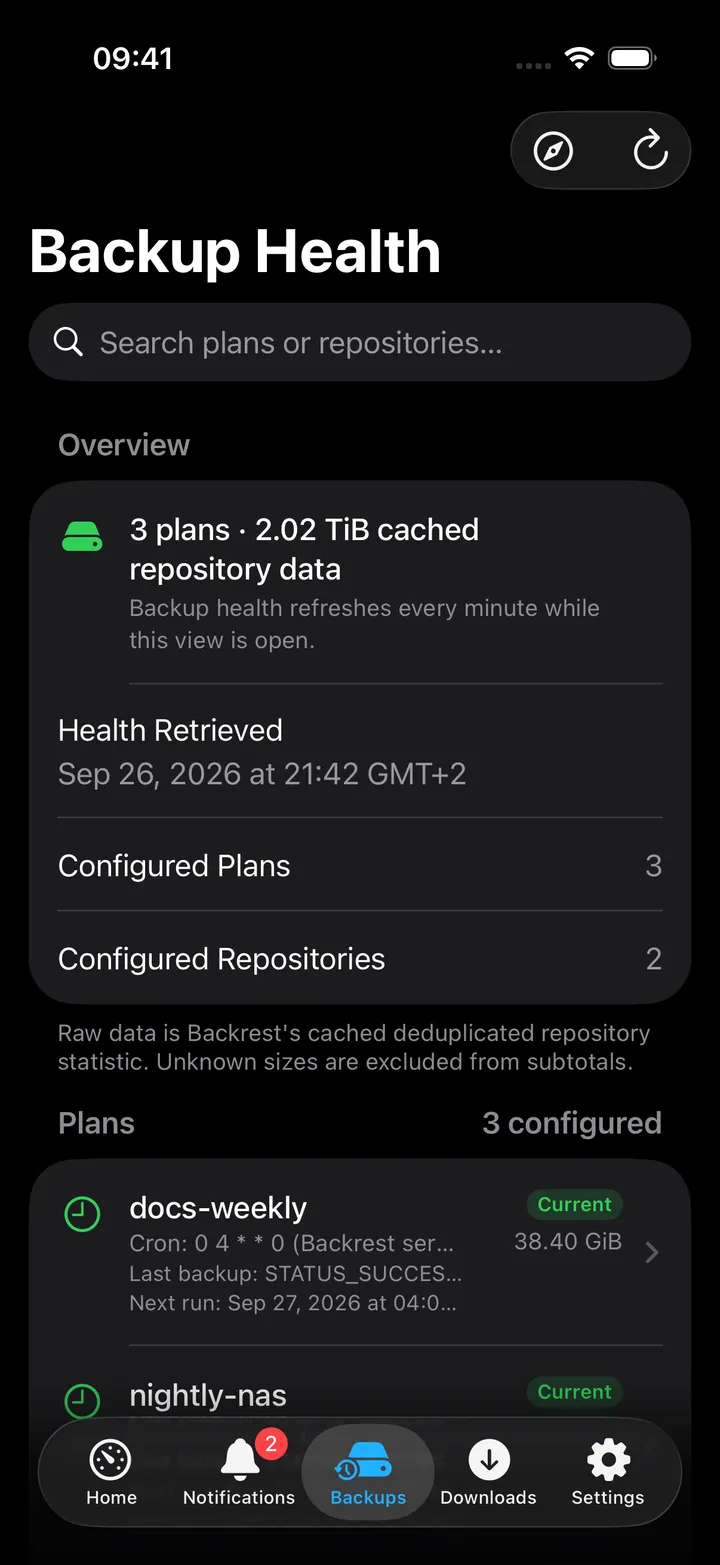
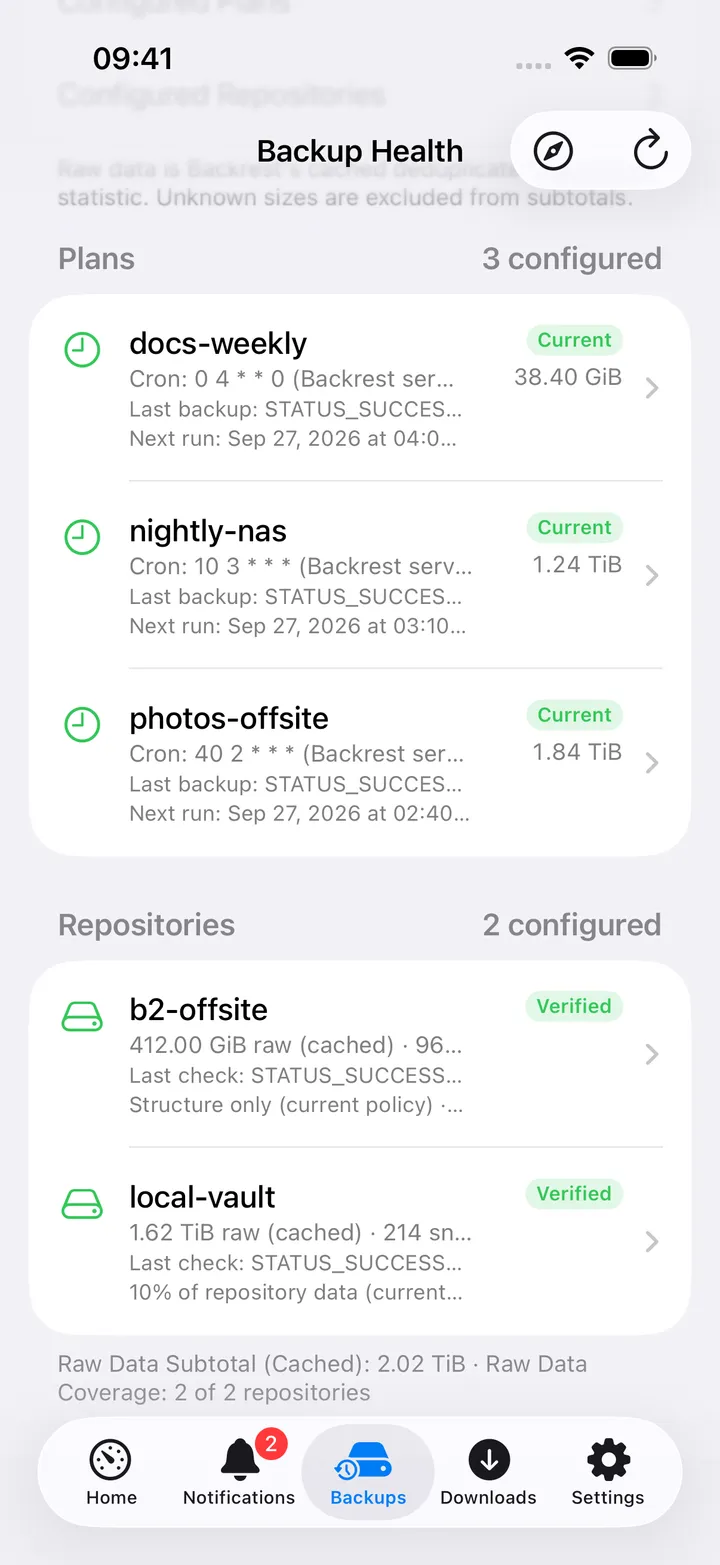
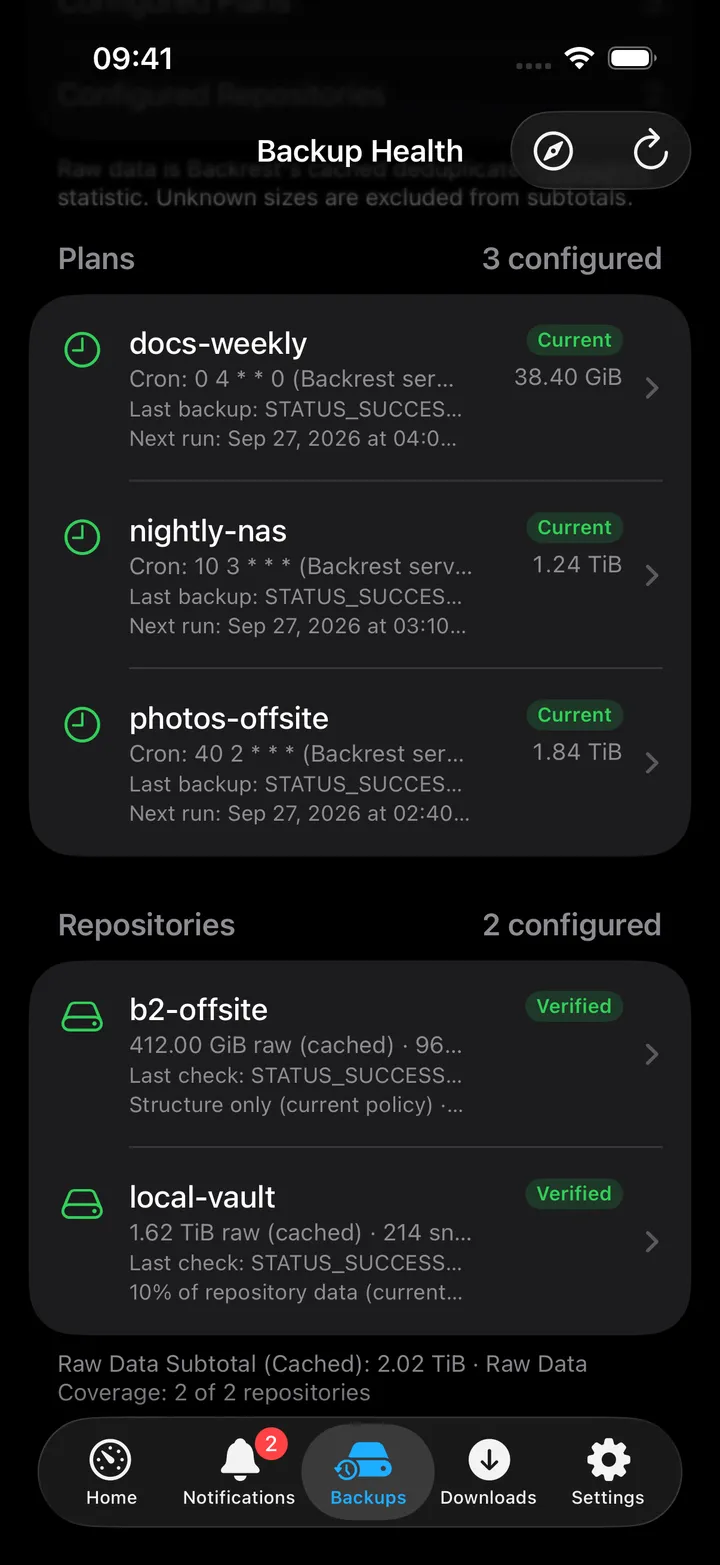
The Backup Health screen polls every 60 seconds and opens with an Overview (plan/repository counts, when the health snapshot was retrieved, and a “Cached” tag if it is more than two minutes stale), a Warnings section, then Plans and Repositories lists sorted worst-first by health tag. A search field matches a plan’s id, repository, health label or schedule, and a repository’s id, health label or check mode. The toolbar has Open Backrest and Refresh. Tapping a plan or repository opens its detail with the same health explanation in a full sentence plus the raw last-run and next-run timestamps.
On Mac
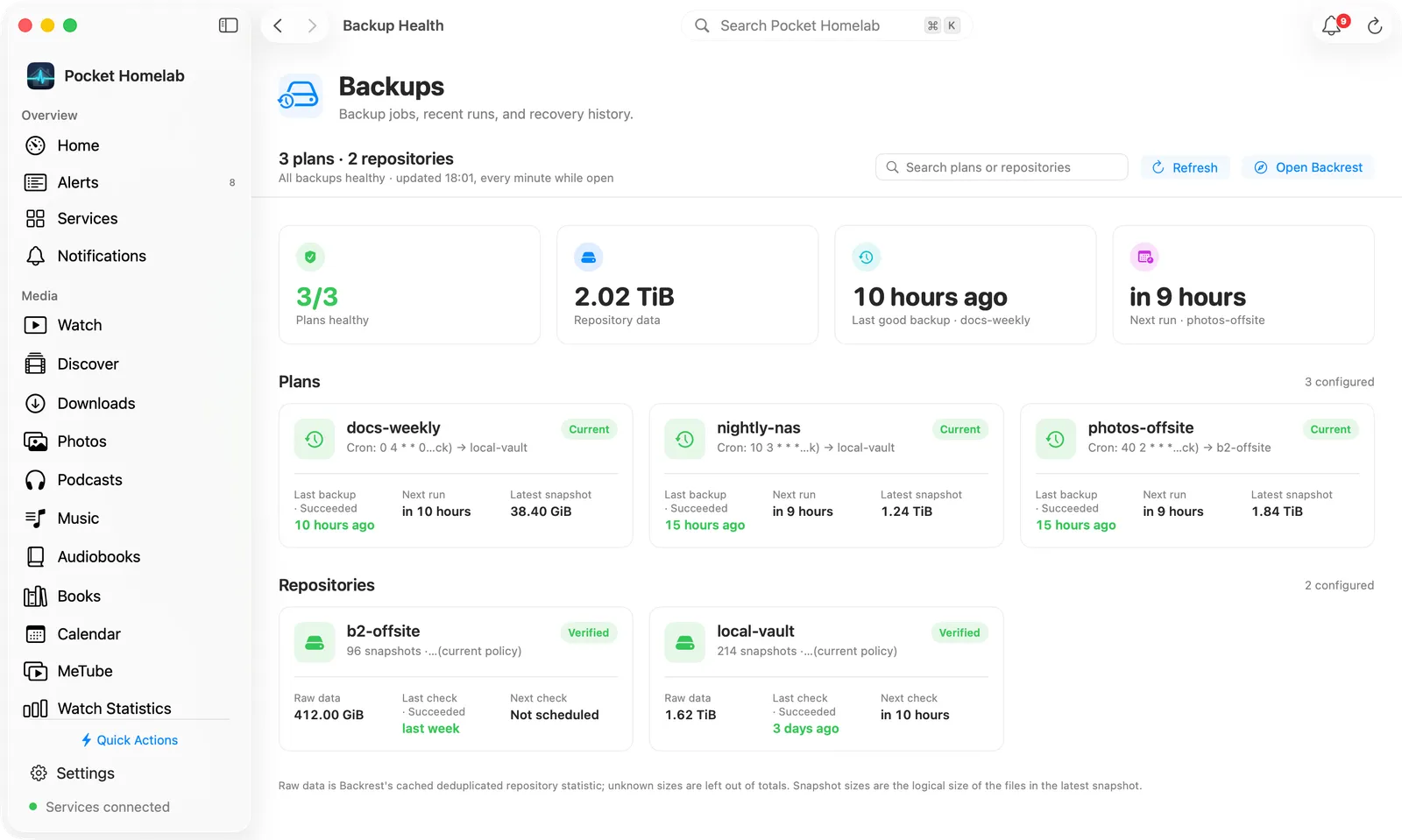
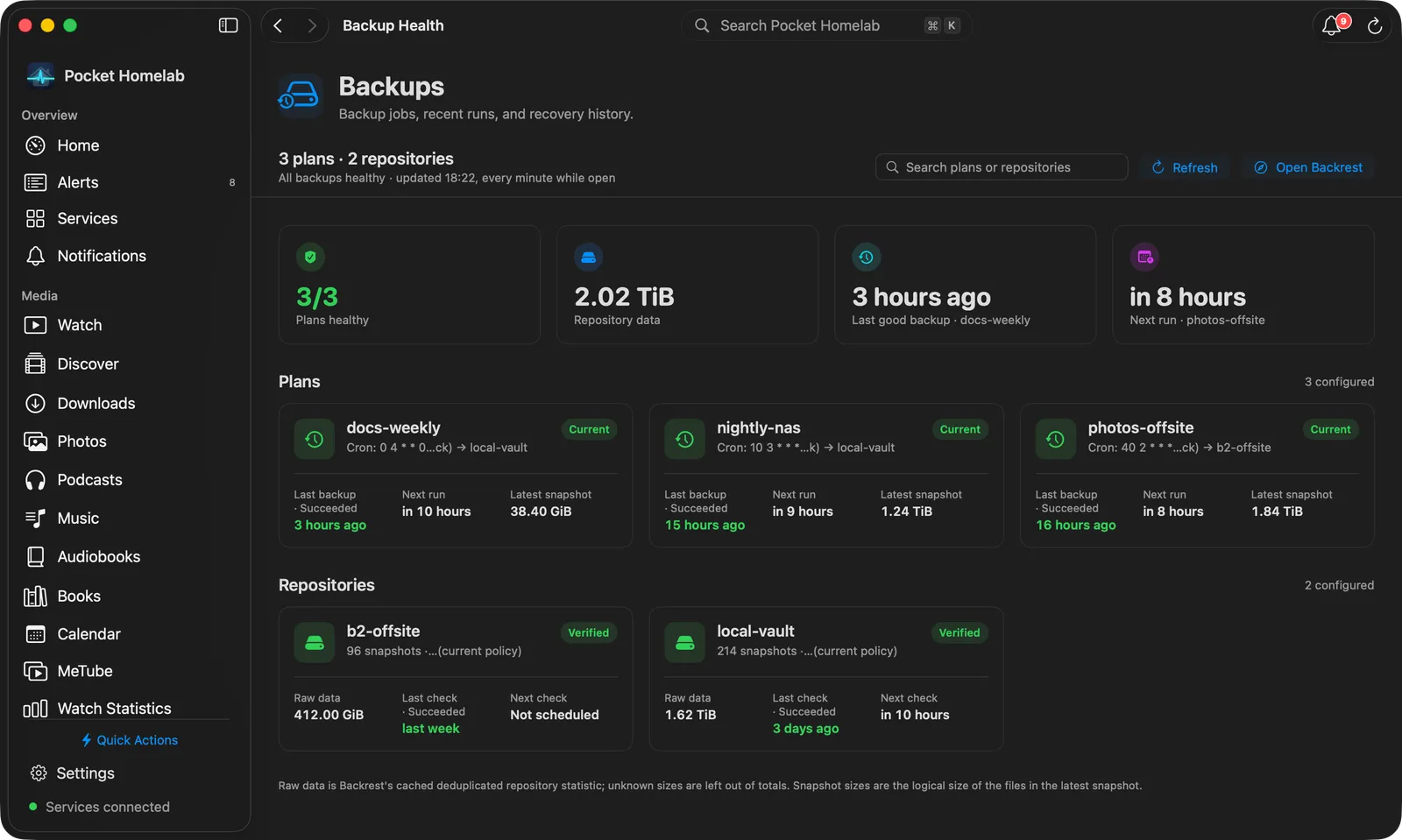
The Backups page (⌘9 by default) has the header “Backup jobs, recent runs, and recovery history.” Under it, a bar counts your plans and repositories and says “All backups healthy” or how many need attention, with the time of the last update (“every minute while open”) and a Cached pill when the snapshot has not been verified as current. On the right are Search plans or repositories, Refresh and Open Backrest.
Any warnings from the load come first, in an orange box. Then four tiles:
- Plans healthy: healthy plans out of all plans, green, or orange with the number that need attention.
- Repository data: Backrest’s cached raw data for all repositories, with “N of M measured” when some sizes are unknown.
- Last good backup: how long ago the most recent successful backup finished, and which plan it was.
- Next run: when the next scheduled backup starts, and for which plan.
Plans and Repositories follow as cards, worst first, each with its health pill (hover it for the full explanation) and a Cached note when the snapshot is stale:
- A plan card shows the schedule and target repository, the last backup in words (“Succeeded”, “Failed”, “Warning”, “Running”, “Cancelled”) with how long ago it ran, the next run, and the latest snapshot size.
- A repository card shows its snapshot count and check mode, the raw data, the last check with its result and when it ran, and the next check.
Hover a date for the exact time; right-click a card for Copy plan ID or Copy repository ID. Click a card to open its page: the health pill and the explanation in a sentence, a Copy ID button, then two cards. A plan has Schedule (repository, schedule, next run) and Backups (latest backup, last successful, latest snapshot size); a repository has Storage (raw data, when it was measured, snapshots) and Verification (latest, last successful, check mode, next).
On Home, the Backups widget shows the plan count with “healthy” or “attention”, then the last success, the next run, the repository count and the stored data; larger sizes list the plans and repositories with their health. Click the widget for its detail panel.
Actions
None. Logging in only creates a session token to read history, Pocket Homelab cannot start, cancel or restore a backup from here.
Works with
- Home issue chip and the “N issues” banner.
- ntfy category
backupdeep-links straight to this screen. - Nextcloud Notes: the What needs attention block (from the
/menu or the wrench in the note toolbar) writes “all N plans healthy” or a table of the plans that need a look, with their state and last good backup, plus up to five of Backrest’s warnings. It also covers Uptime Kuma and Scrutiny when they are set up. The Homelab snapshot block has a Backups row.
Tips & troubleshooting
- Duplicate plan or repository IDs in your Backrest config abort the whole load with “Backrest configuration contains duplicate IDs”, fix the duplication in Backrest itself.
- A very large history (over roughly 16 MiB of operations) can leave health “could not be determined” for that repository, Backrest history queries are capped for exactly this reason.
- A Cached tag means the health on screen is not confirmed as current: the last refresh failed, one is still running, or the snapshot is more than two minutes old. “Raw (cached)” data is a different thing: Backrest’s own cached restic statistic for the repository, not a size Pocket Homelab measured.