
For iPhone and Mac
Your homelab,
in your pocket.
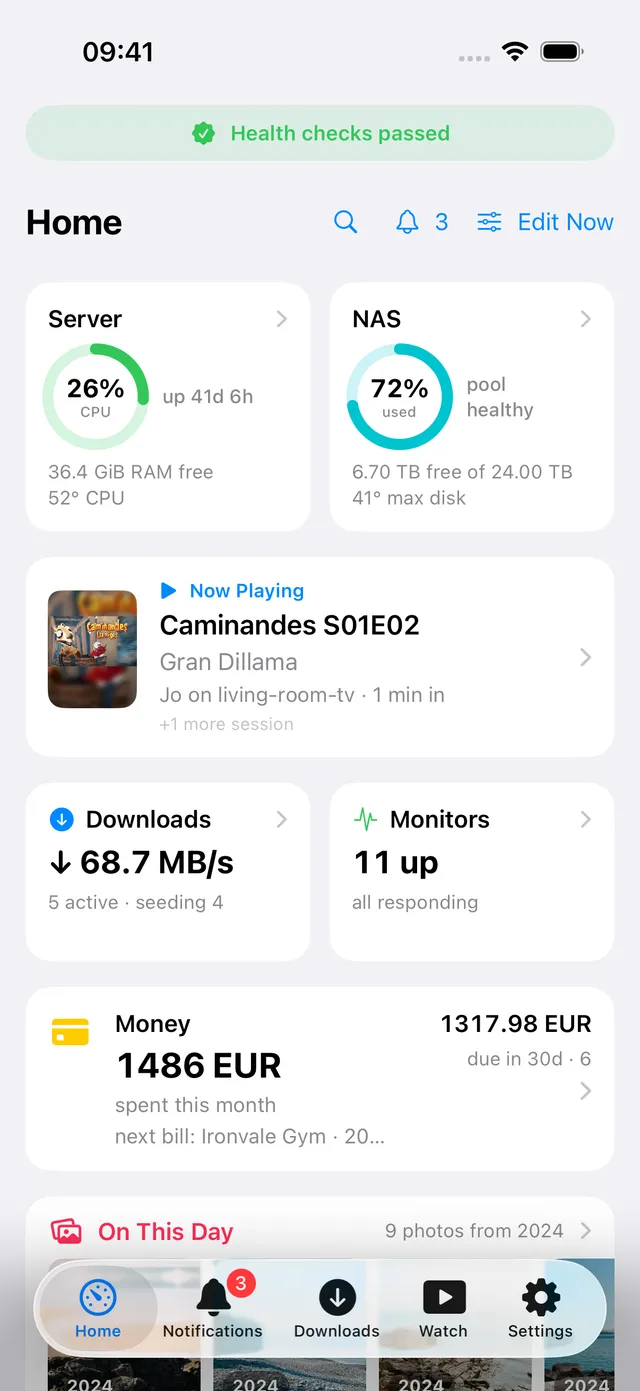
Pocket Homelab is a native app that connects directly to the services you already run. Status, downloads, media, photos, files, notes, code and money, in one place, with no cloud in between.
Want early access? Join the TestFlight beta.
Credentials stay in your Keychain · No account · No analytics · Works over your VPN or Tailscale
39
One app instead of a folder of bookmarks.
0
No sign-up, no backend, no telemetry.
30 s
Background polling keeps every screen warm.
2
Native on iPhone and Mac. One purchase.
TestFlight beta
Help shape Pocket Homelab.
Want to try it with your own homelab? Get in touch for a TestFlight invitation on iPhone or Mac. Your feedback on setup, everyday use and anything that breaks will help make the app better.
- 1
Request an invite
Tell me which devices and self-hosted services you use. I’ll reply with the next steps for joining the beta.
- 2
Get your services ready
Download the complete env template and fill in the services you use. Leave the rest blank.
- 3
Import and test
Import the file in the app’s settings, use it day to day and let me know what works and what breaks.
Keep your completed file private — it holds your credentials.
One app, the whole rack
Everything your homelab does, on the screen in your hand.
Each service gets a card, a screen and a tab. Rows load independently, so a slow server never holds up the rest.
Home dashboard
Downloads
Watch
Discover & Requests
Photos
Podcasts, audiobooks, music
Files, Tasks, Contacts, Deck
Notes
Code reviews
Money & Vehicles
Alerts inbox
Monitors, Disks, Backups
AdGuard & Speedtest
Works offline
Widgets & Shortcuts
Downloads
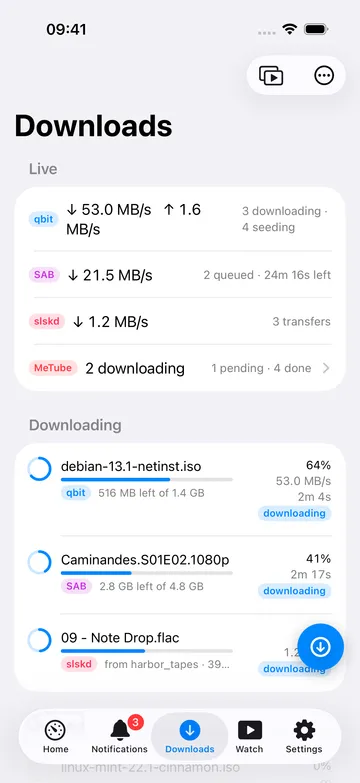
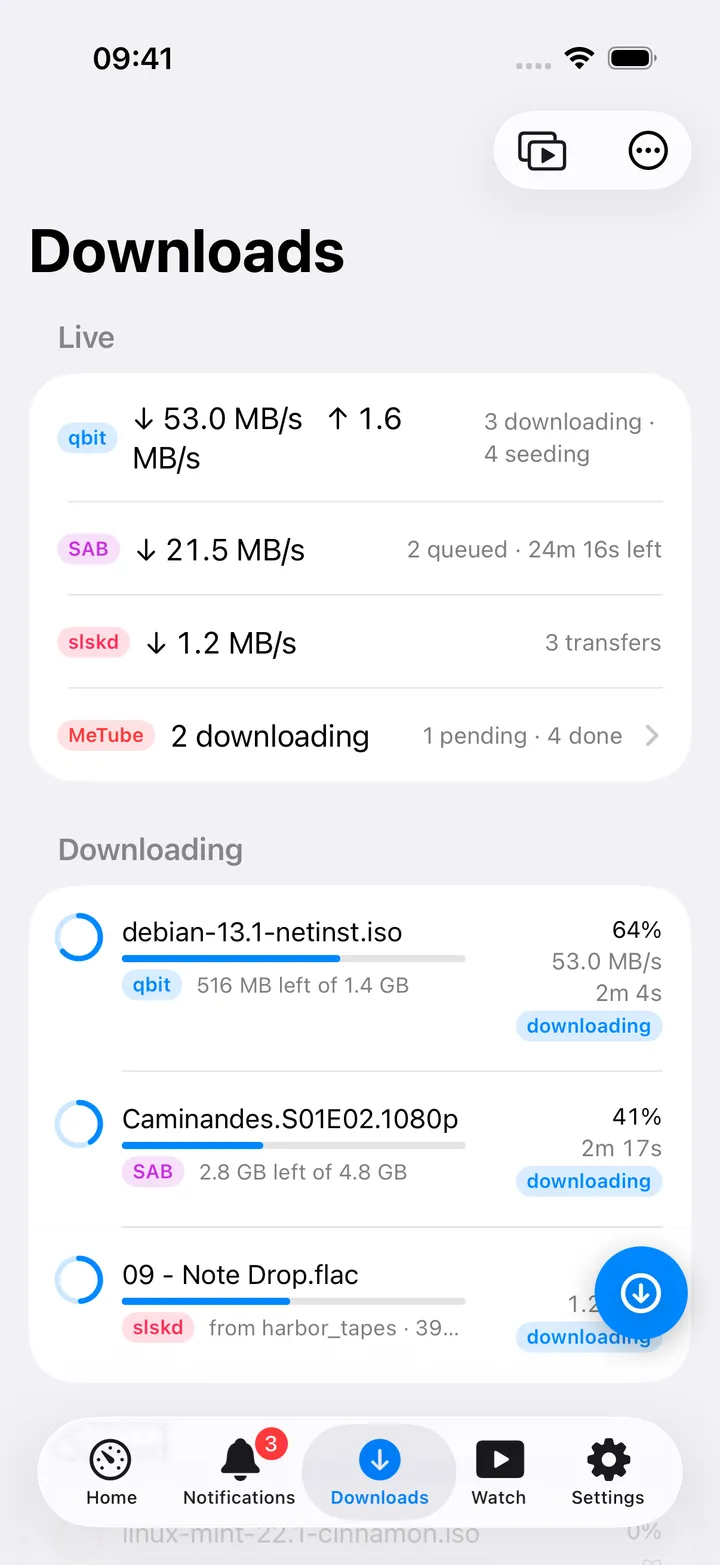
Every download client in one queue.
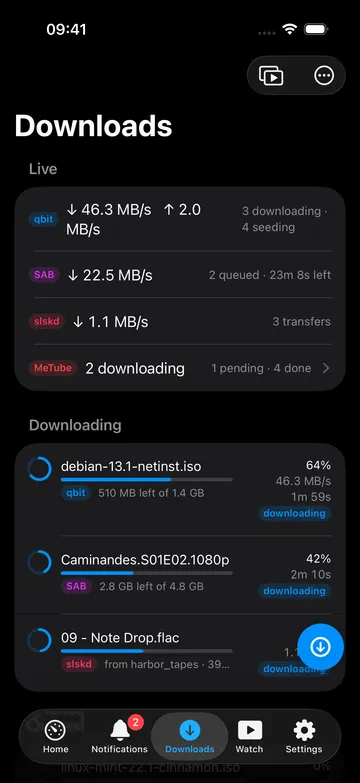
The Downloads card on Home shows ↓ 1.2 MB/s · 3 active · seeding 12 without you opening anything. Tap it and you get the full queue, merged across every client you configured, sortable and filterable.
- qBittorrent, SABnzbd, NZBget, slskd and MeTube side by side
- Speeds, progress, categories and share ratios at a glance
- Pause, resume, re-queue or remove, with or without the files
- Radarr, Sonarr, Lidarr and Chaptarr feed the same view
Watch
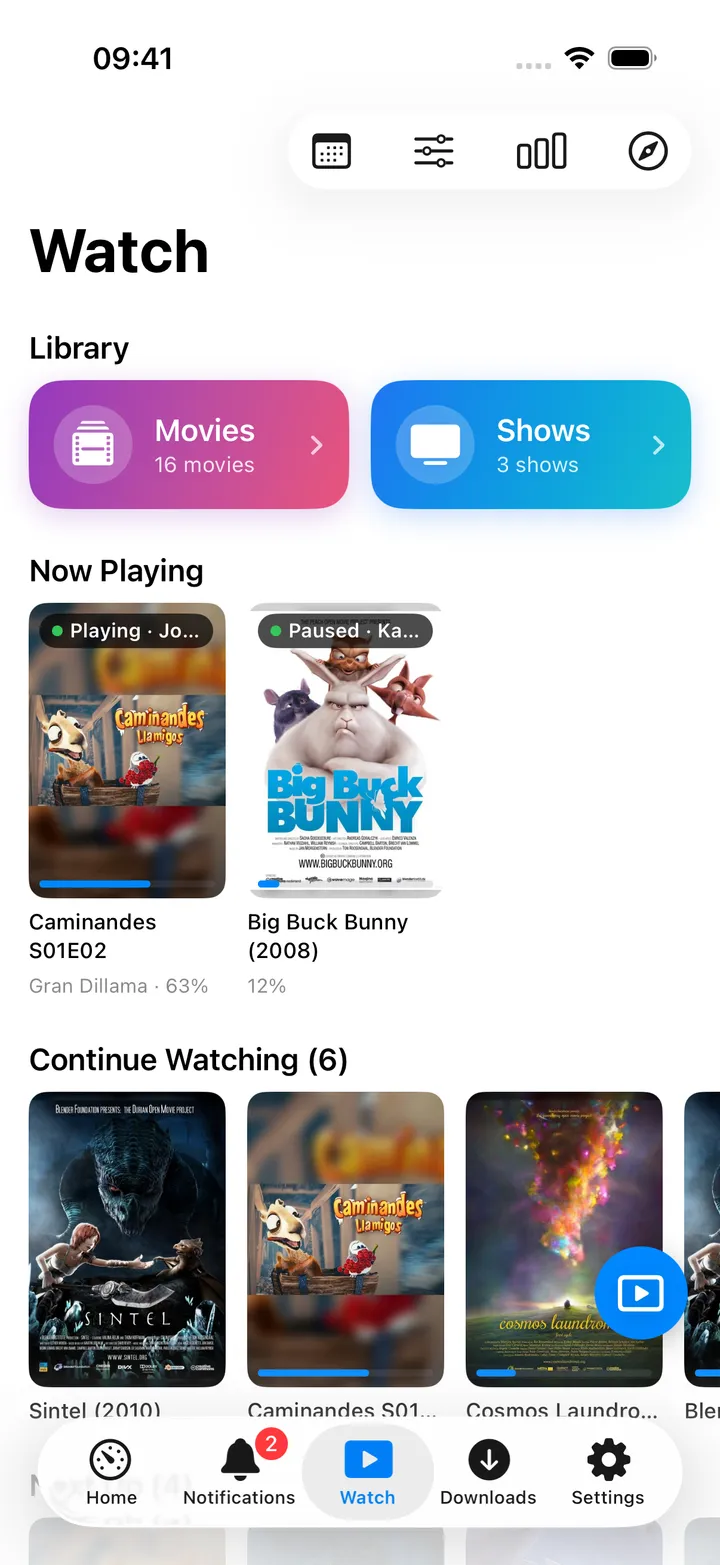
A real player, not a web view.
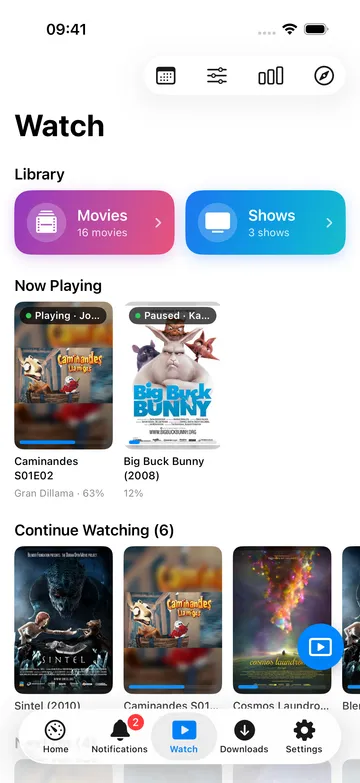
Jellyfin libraries, shelves and details, then playback that behaves like the system player: full screen, Picture in Picture, background audio and your subtitle style remembered.
- Continue watching and Up next, resumed from where you stopped
- Libraries, seasons, episodes, cast and a proper detail screen
- Playing on your server, see and control active sessions
Playback
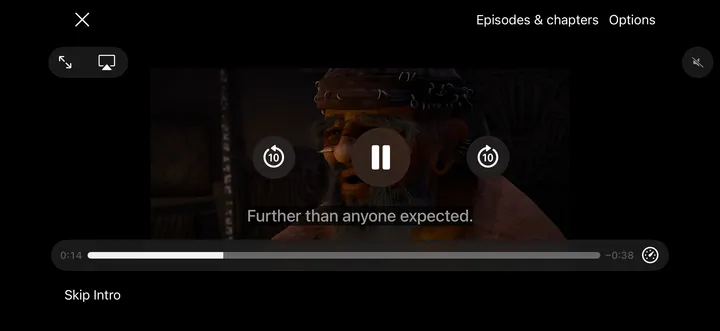
Subtitles, Skip Intro and Up Next.
Playback is the part most self-hosted clients get wrong, so it got the most attention. Progress is reported back to your server, so the position follows you to the TV.
- Subtitle size, colour, position and background, box, outline or none
- Skip Intro and an Up Next card that counts down to the next episode
- Playback quality and precise seeking as a per-session choice
- On the Mac: its own window, media keys, Now Playing and Control Center
Discover
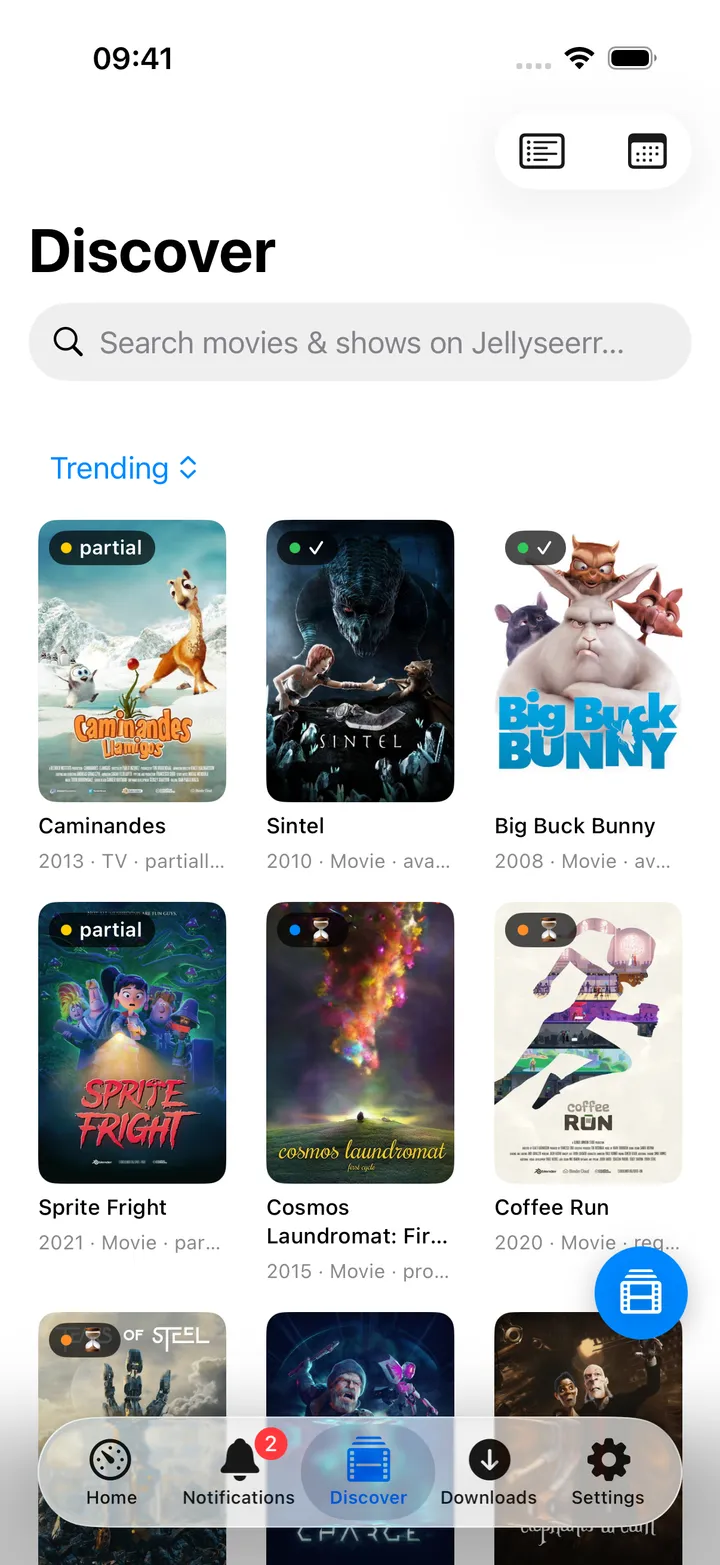
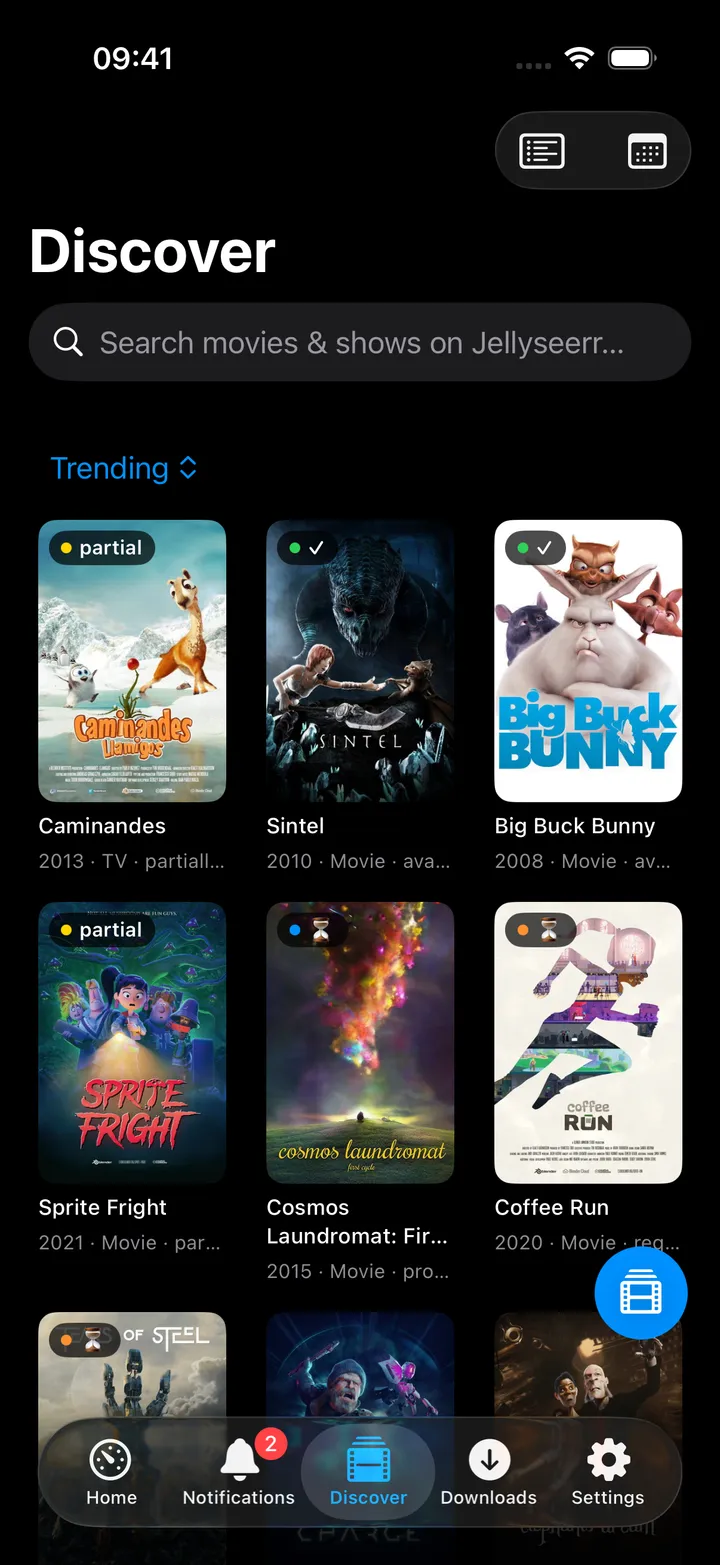
Find it, request it, track it.
Discover is where the request loop closes: search, request, and then watch the *arr queue pick it up, with stuck downloads called out instead of quietly rotting.
- Search Jellyseerr from the app or straight from the search sheet
- See what is already available, requested or pending approval
- A media calendar of upcoming films, episodes, albums and books
Photos
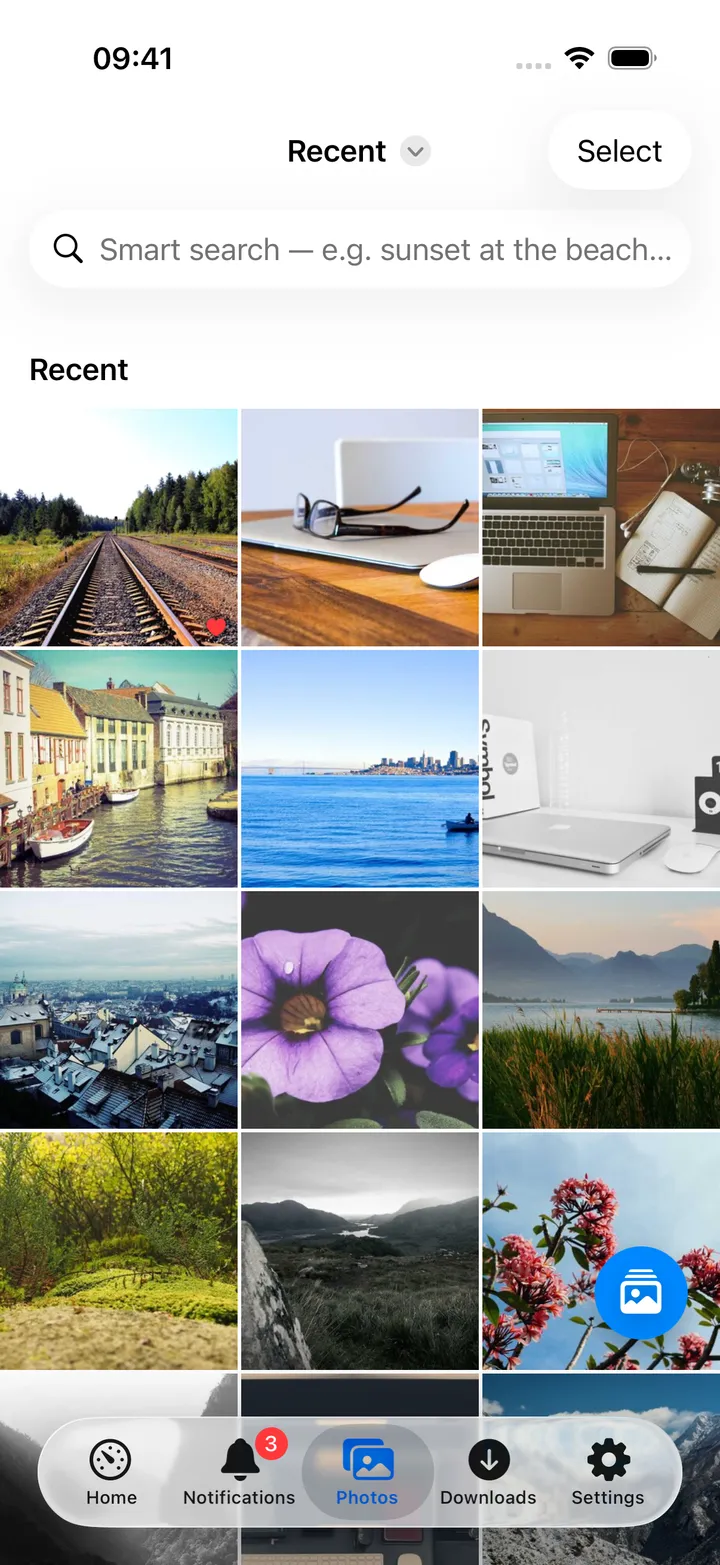
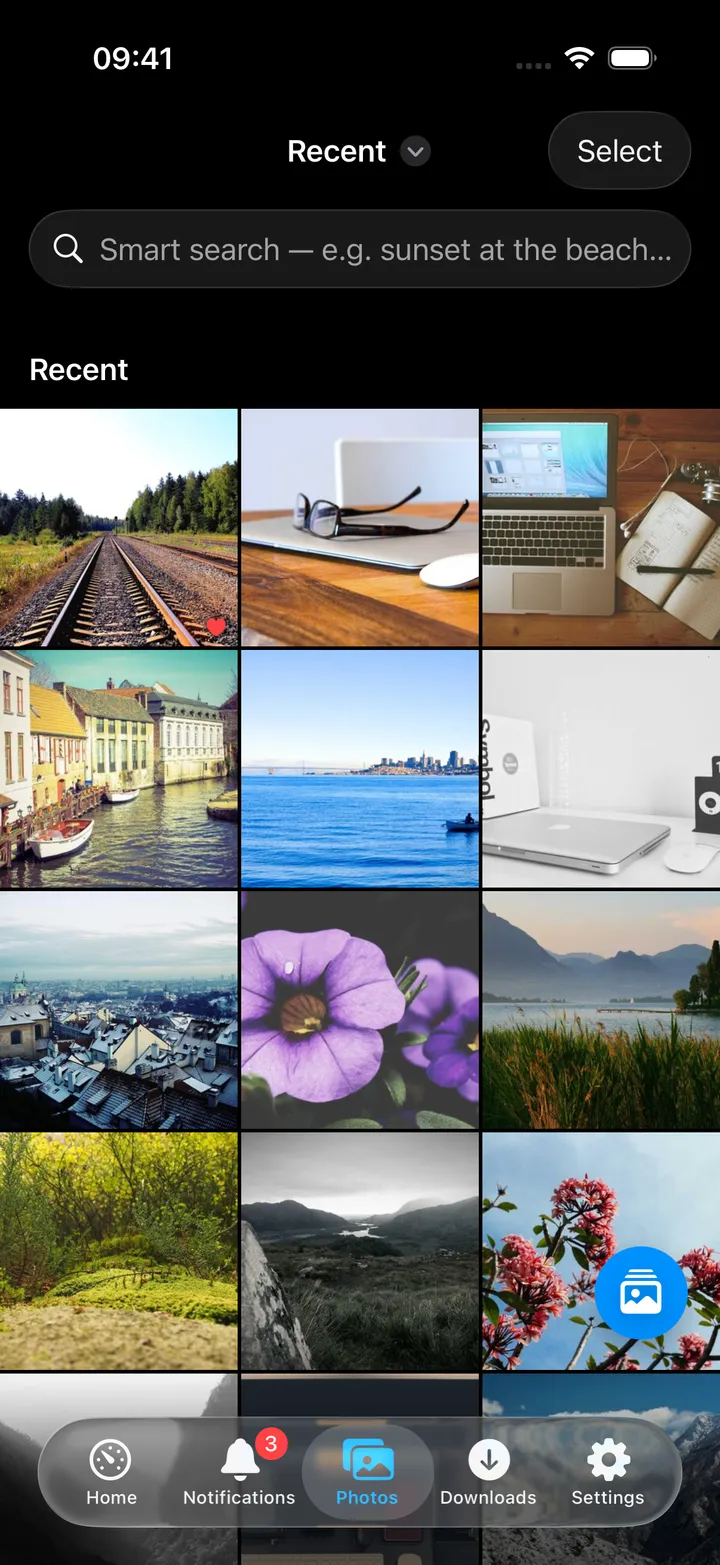
Your Immich library, and the memories it surfaces.
An Immich connection also feeds the Home screen: today's memories, or your newest photos, appear as a card that opens Photos on the same view.
- Recent, favourites, videos, albums and people, plus smart search
- Hold a photo and keep moving to select a run of them
- Videos play right in the viewer, with pinch to zoom
- On This Day or your newest photos on the dashboard, as a strip of thumbnails
- Save any photo or video back to your device library when you want it
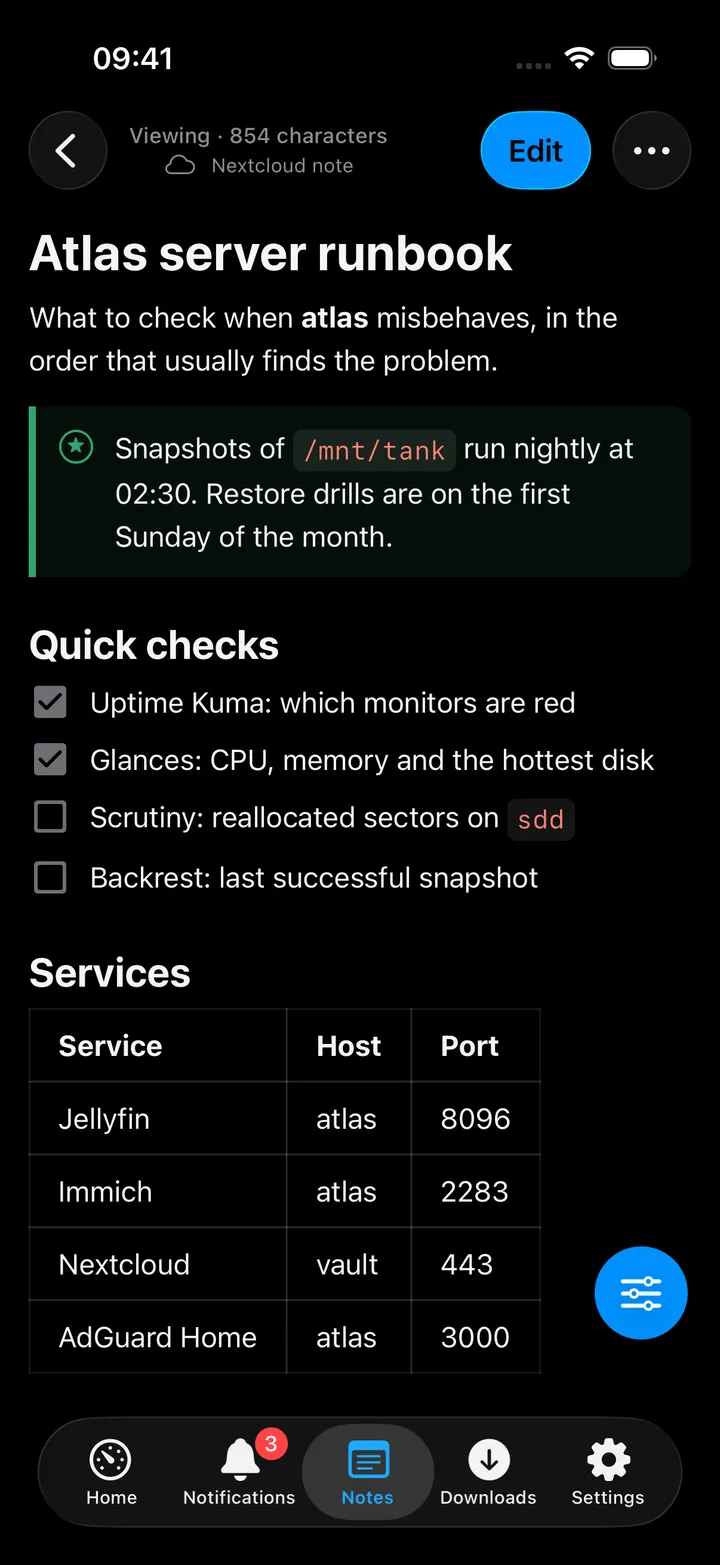
Notes
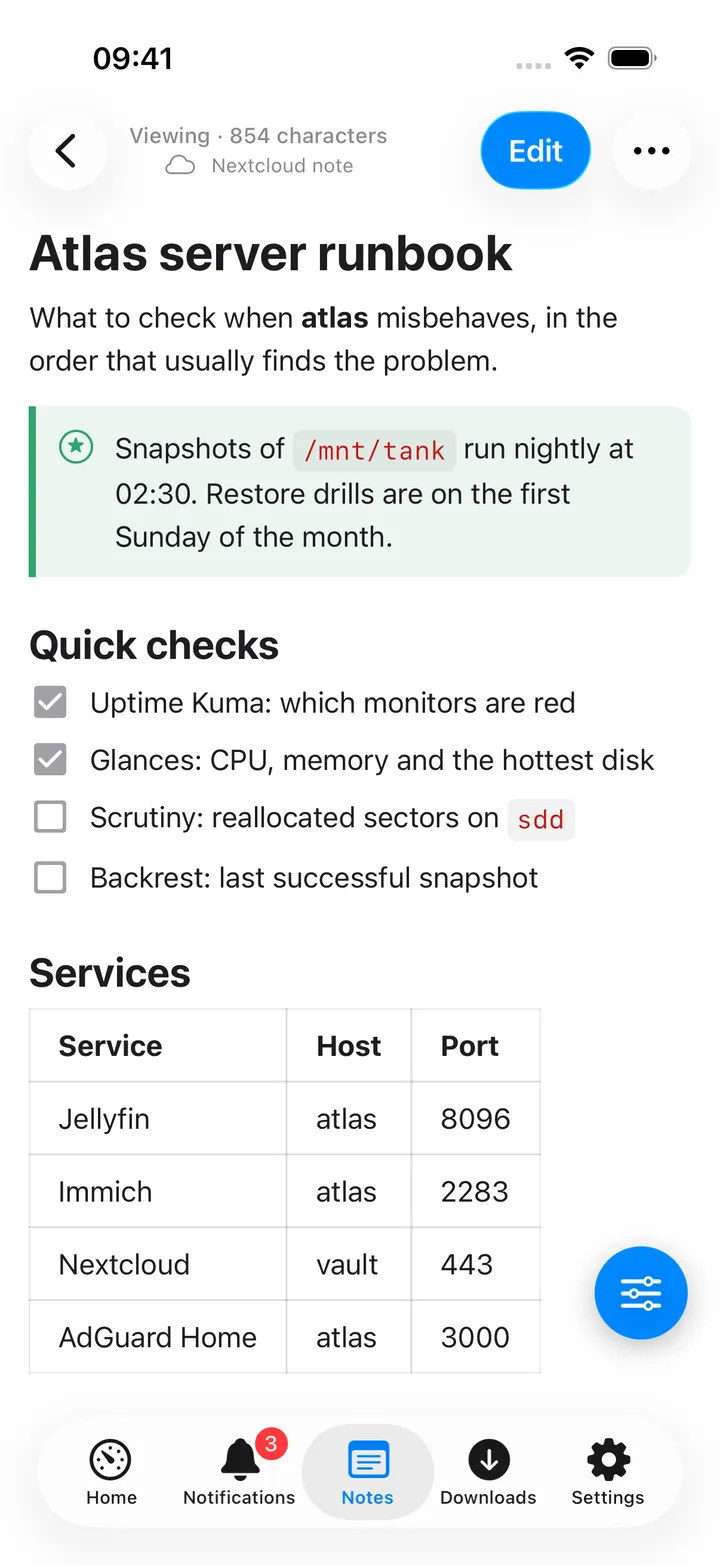
Write in your notes, not in Markdown.
Nextcloud Notes keeps every note as a Markdown file, so the web app and every other client keep working on them. The Podcasts player writes timestamped podcast notes into the same library, and tapping a timestamp plays that moment again.
- Notes open for reading; Edit puts a formatting bar above the keyboard
- Tables, task lists, callouts, Mermaid diagrams, maths and links between notes
- Attachments from the phone, Nextcloud or Immich, templates and daily notes
- Kept on the device and sent when your server answers
- On the Mac, ⌃⌥⌘M opens a Quick Note over any app
Code
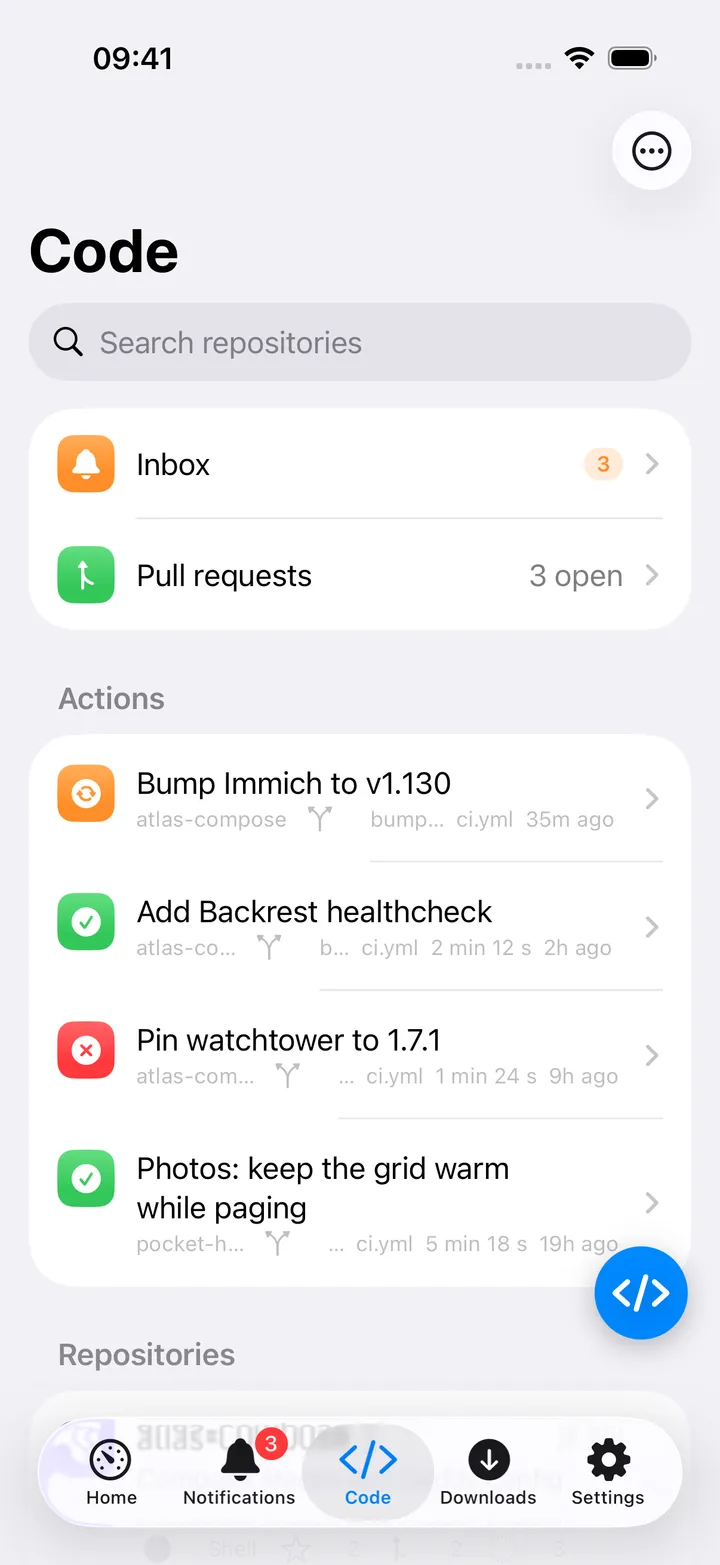
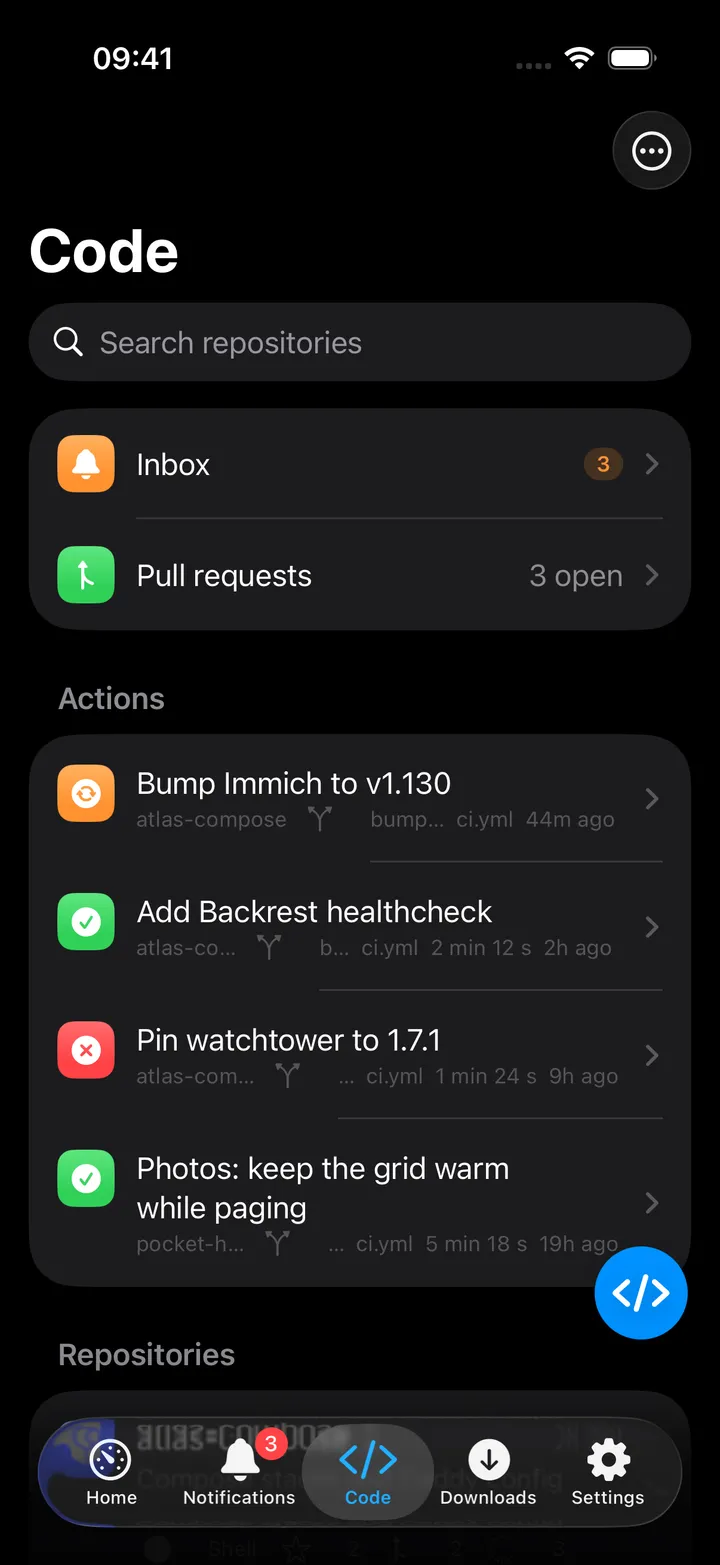
Review a pull request from the sofa.
Forgejo and Gitea get a proper screen rather than a bookmark. The Home banner can read 2 open PRs · 4 unread · failing: infra so you notice before the next deploy does.
- Repositories, issues, pull requests and review state
- Actions runs, with failures promoted to the Home banner
- Cached repository search from the app-wide search sheet
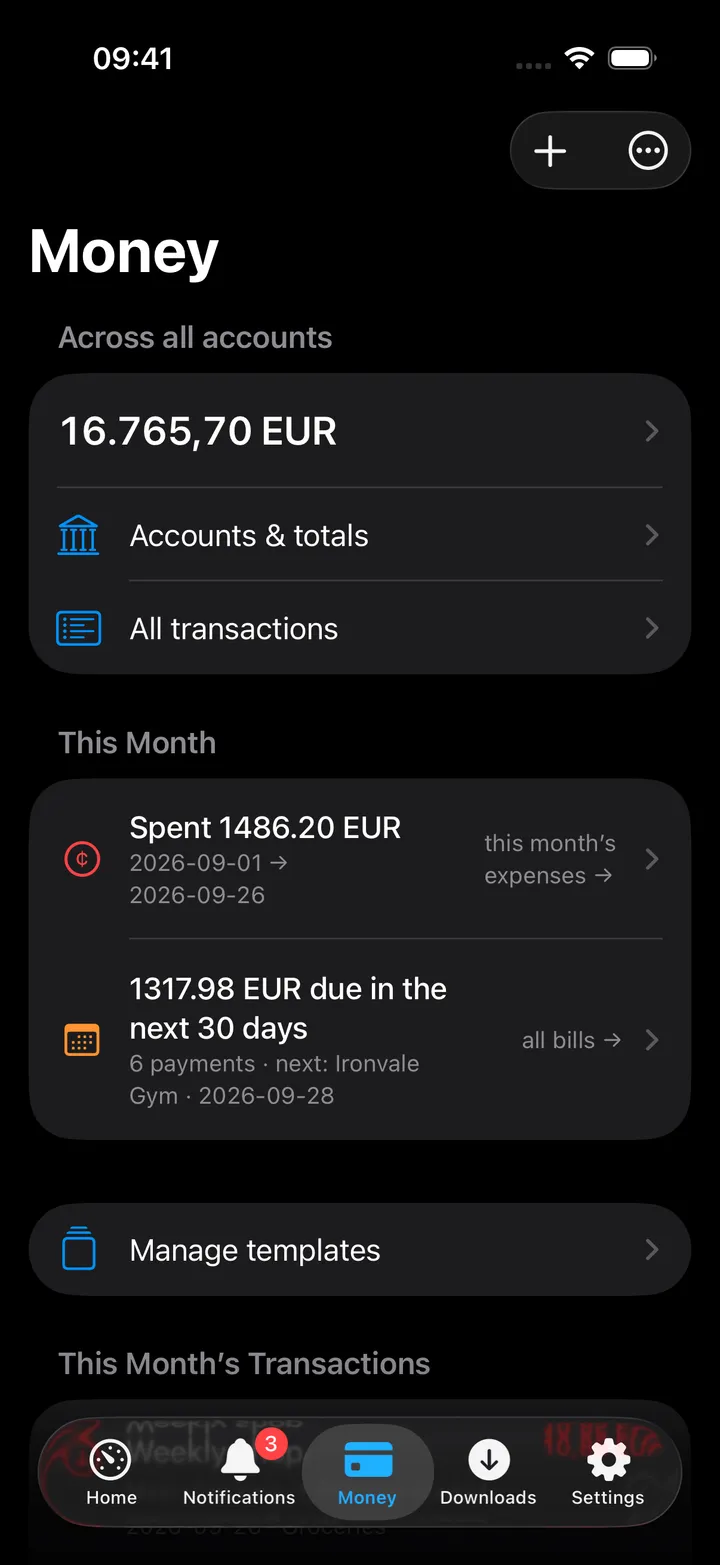
Money
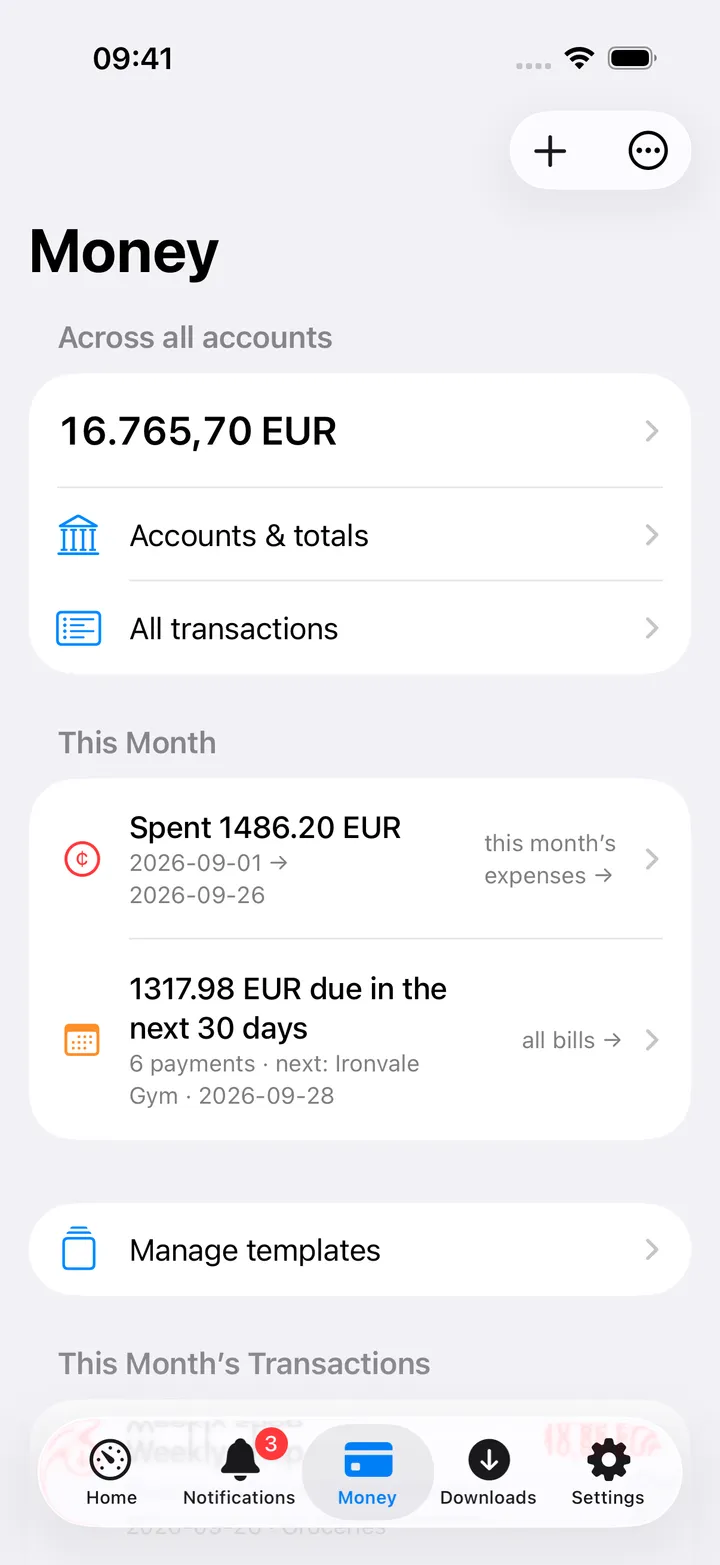
Capture a transaction before you forget it.
The Money card can headline this month's spend, your total balance or the next bill due. Adding a transaction is two taps from anywhere in the app, and it works with no signal at all.
- Firefly III spending, balances and upcoming subscriptions
- LubeLogger fuel-ups, expenses and payment templates
- Offline captures queue up and send themselves later
- On the Mac, ⌃⌥⌘N opens a capture window over any app
Alerts
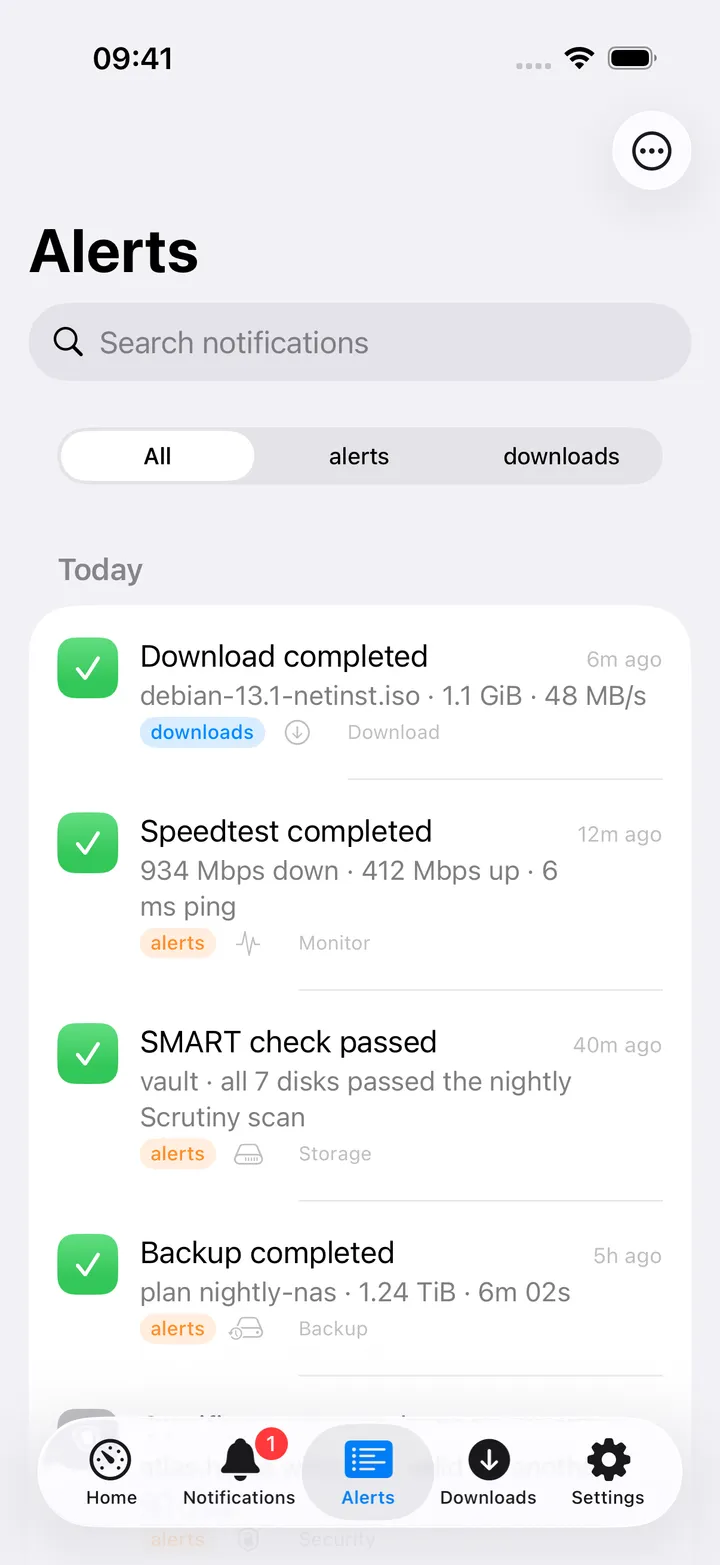
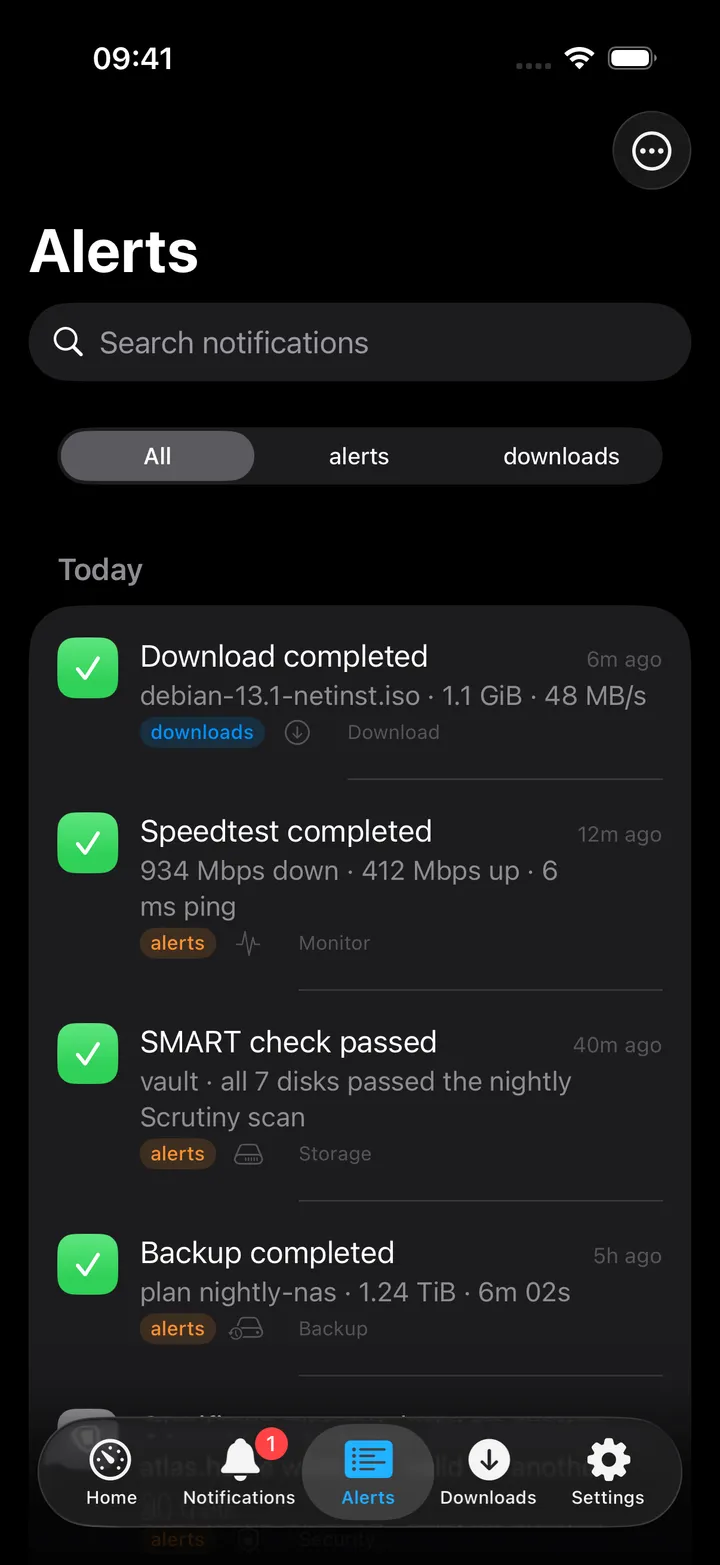
ntfy topics become an inbox you actually read.
Your servers already shout into ntfy. Pocket Homelab keeps the history, tells you what is new, and lets you act on it in one tap instead of hunting for the right dashboard.
- Unread counts, per-topic grouping and an app badge you configure
- Alerts classify themselves, failure, success, info, and colour the banner
- Deep links jump straight to Backups, Monitors or whatever raised it
Made to be rearranged
Built for how you actually use a homelab.
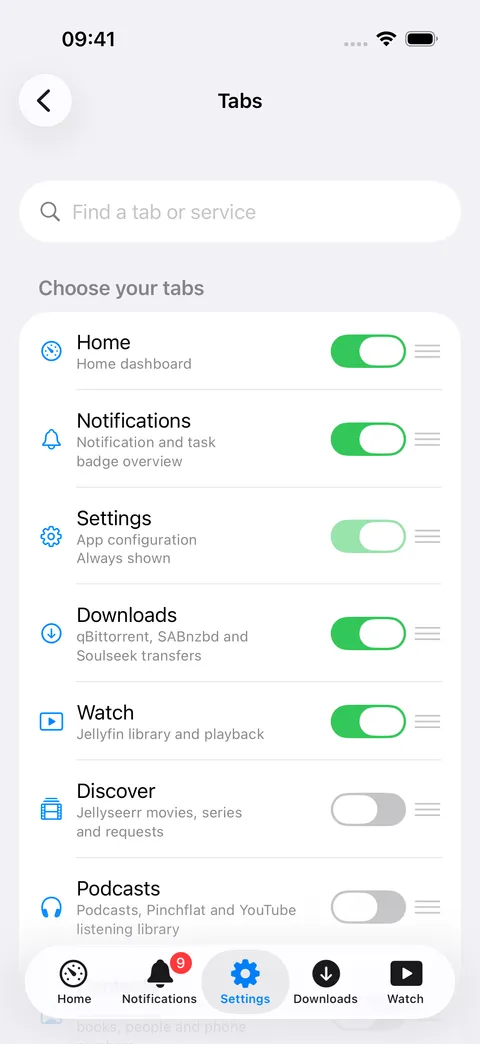
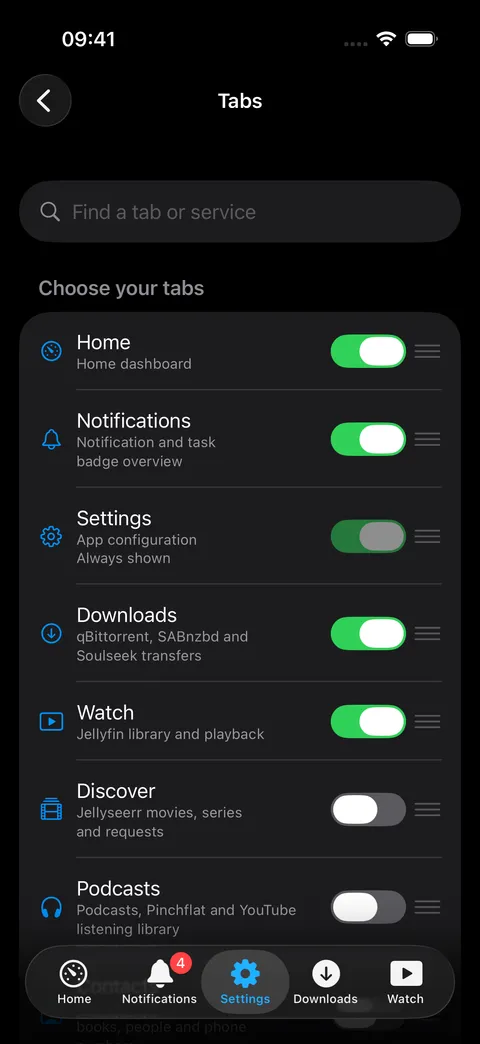
Nobody uses thirty screens equally. Pocket Homelab lets you promote the three you open every day and keeps the rest one pull-down away.
A tab bar you choose
A dashboard you arrange
Hold-to-fan quick actions
Search that reaches everything
A sample homelab
Honest offline behaviour
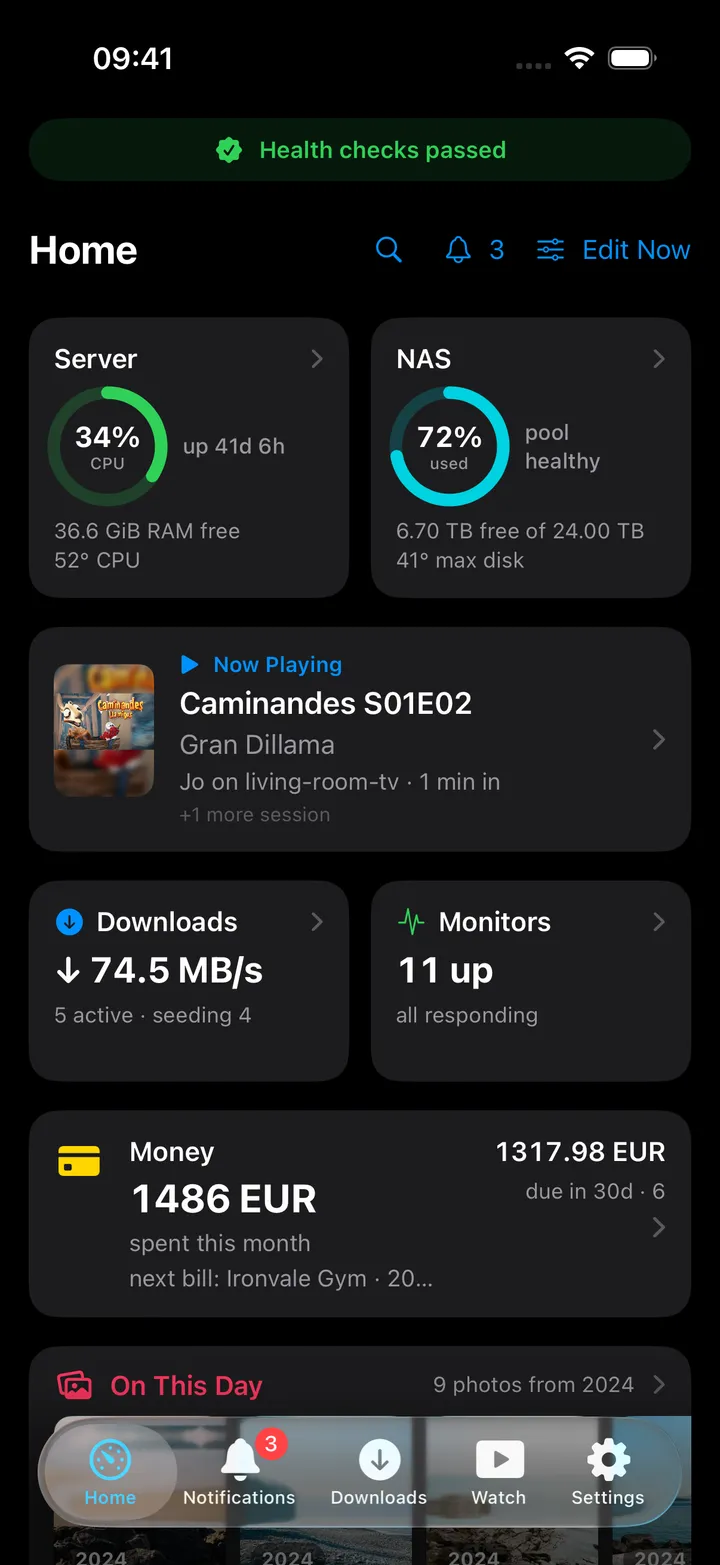
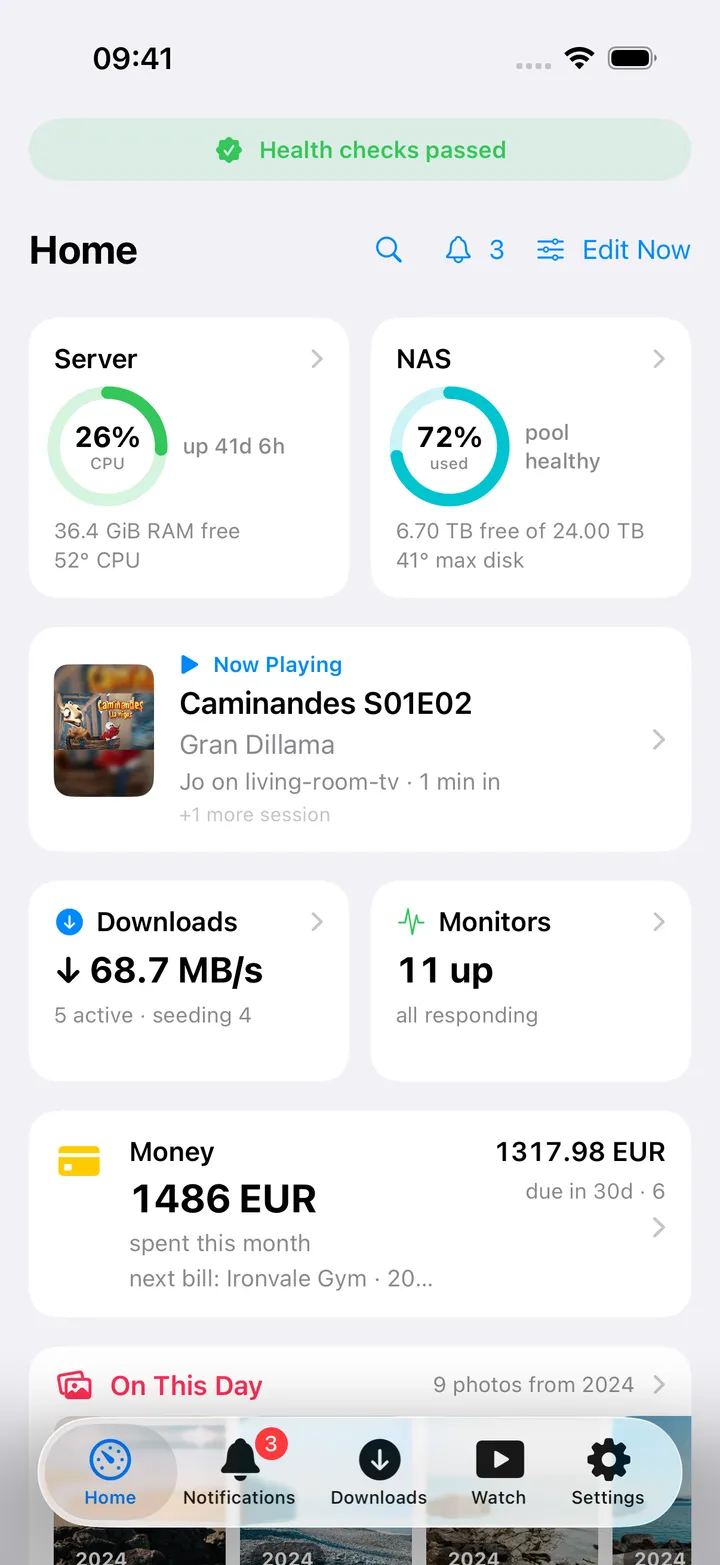
Appearance
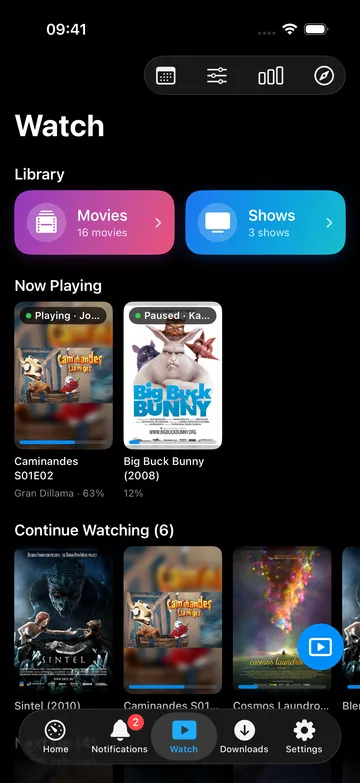
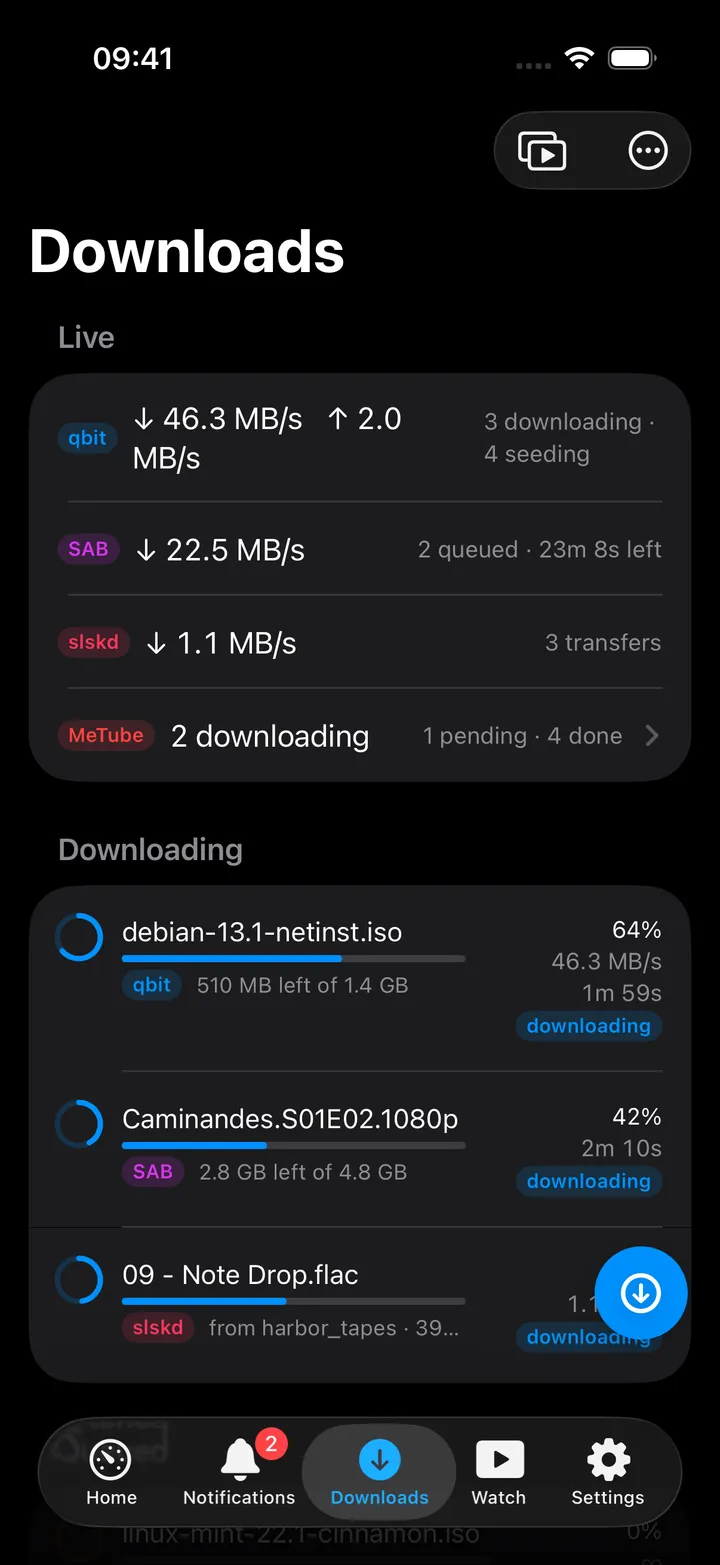
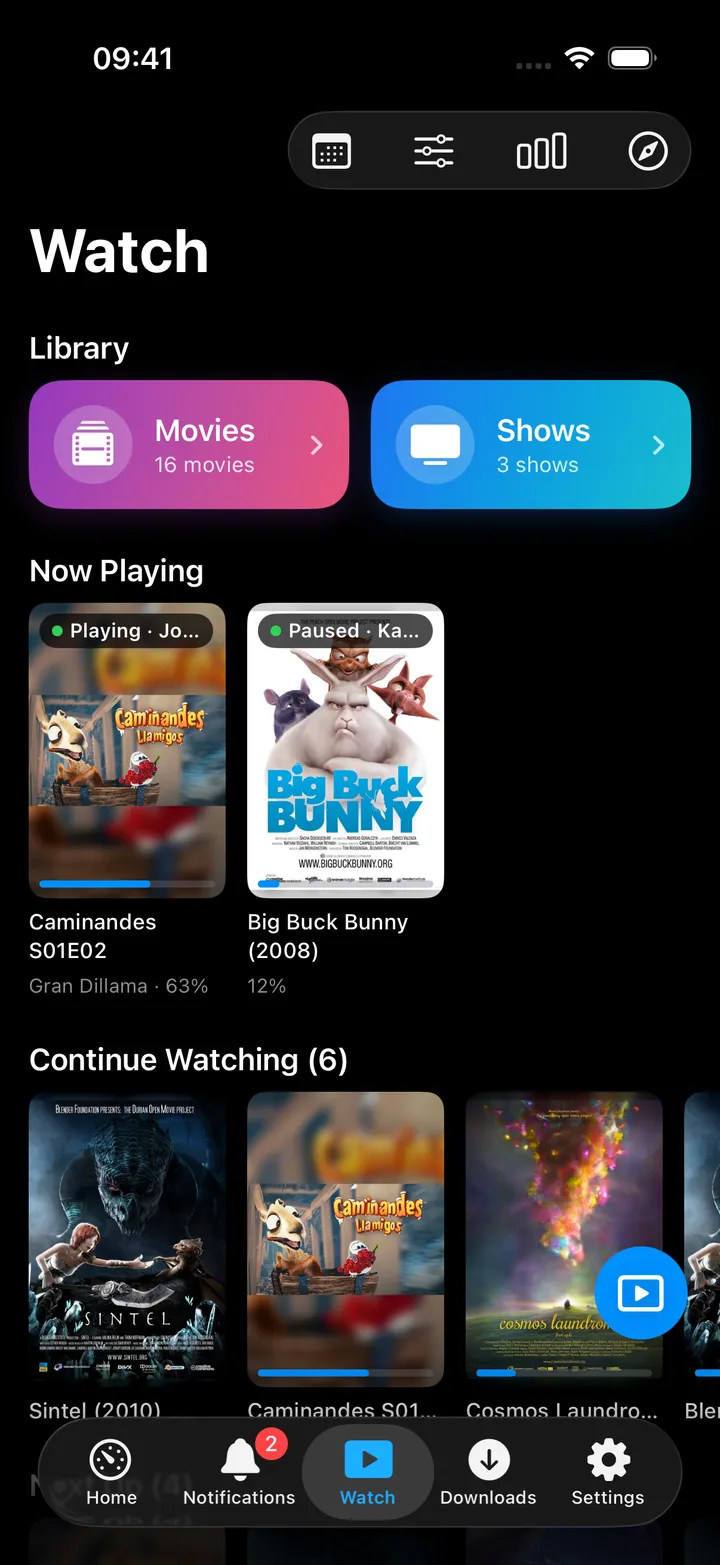
Light and dark, both first-class.
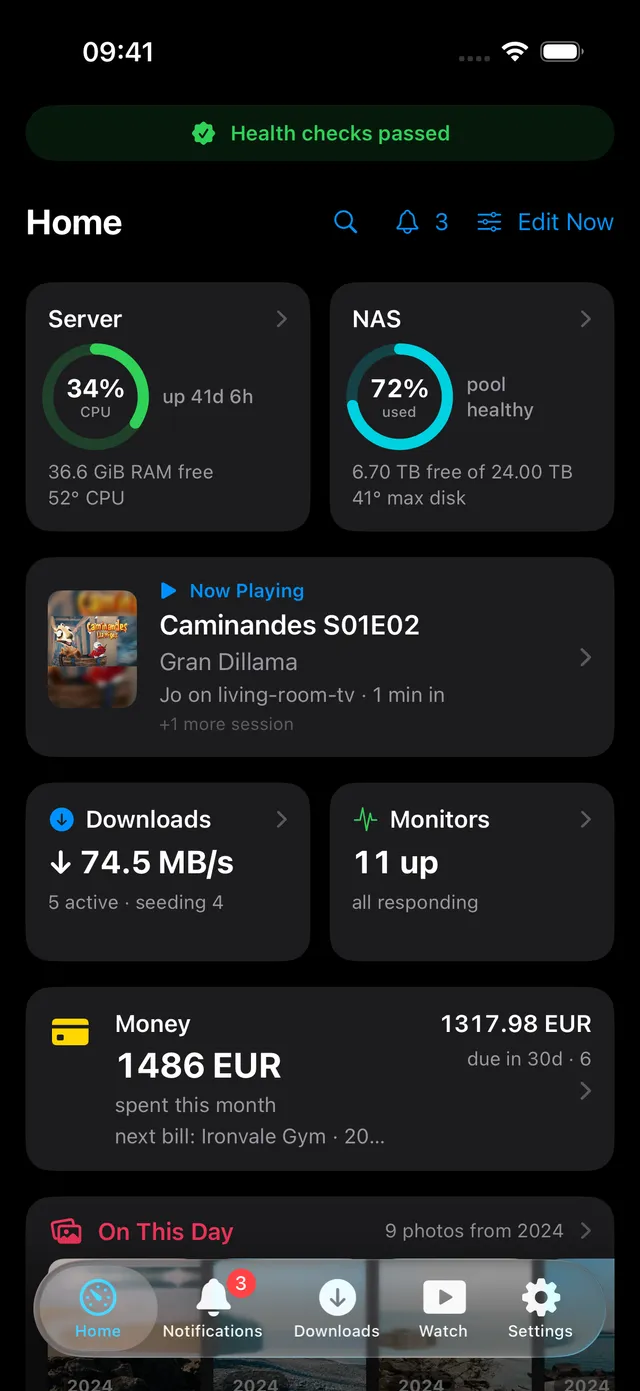
Every screen ships in a light and a dark appearance, the phone here is wearing the opposite one, so you can see both without leaving this page.
- Follows the system by default
- Or pin it light or dark in Settings, independent of your phone
- Same choice on the Mac, per device
- Flip this page’s theme in the header and the phone flips the other way
Integrations
39 integrations
Point the app at the services you already run. Anything you leave blank simply does not exist in the app, no empty tabs, no dead cards.
- GlGlances
- TrTrueNAS
- UKUptime Kuma
- Ntntfy
- AHAdGuard Home
- KoKomodo
- BaBackrest
- ScScrutiny
- STSpeedtest Tracker
- SJServices & Jobs over SSH
- DLDashboard links
- QbqBittorrent
- SaSABnzbd
- NzNZBget
- Slslskd
- MeMeTube
- RaRadarr
- SoSonarr
- LiLidarr
- CRChaptarr / Readarr
- PrProwlarr
- JeJellyfin
- JeJellyseerr
- JeJellystat
- BaBazarr
- SSSubtitle Sync Server
- ImImmich
- AuAudiobookshelf
- NaNavidrome
- CWCalibre-Web
- PNPaperless-ngx
- PiPinePods
- NeNextcloud
- FGForgejo / Gitea
- SeSearXNG
- FIFirefly III
- FPFirefly Pico
- LuLubeLogger
- DaDawarich
- AdAdventureLog
And on the desktop
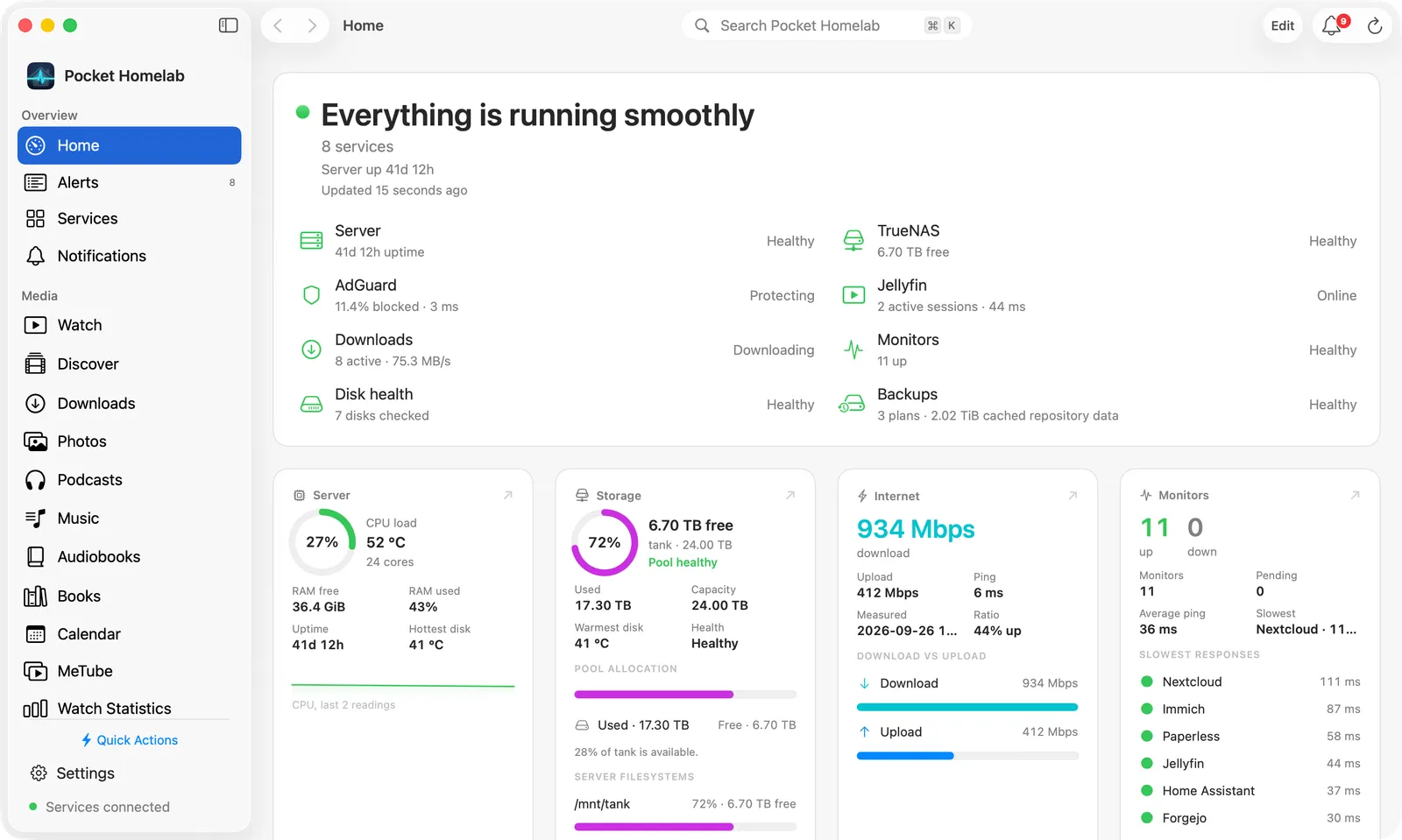
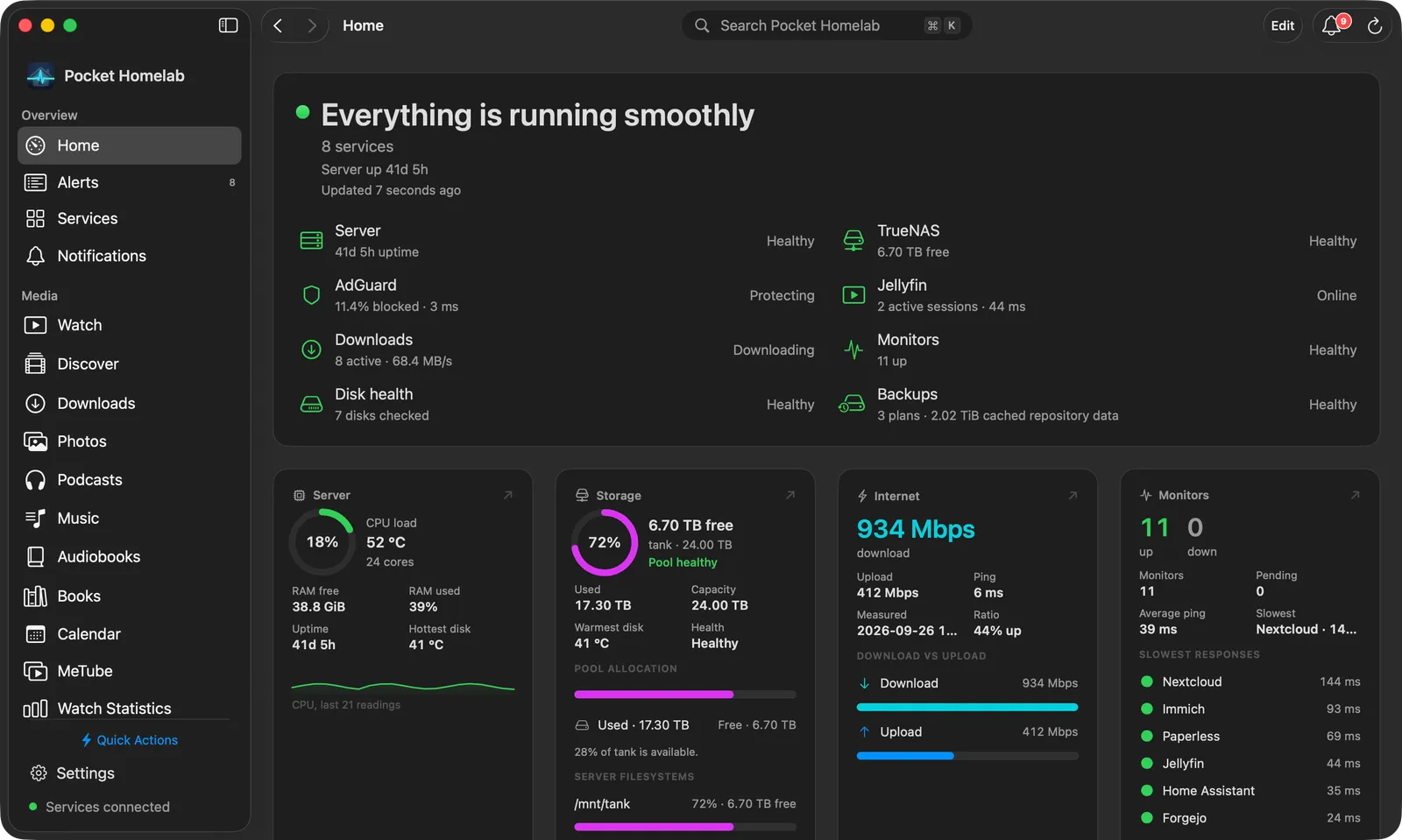
A Mac app that behaves like a Mac app.
Sidebar workspaces, a Home board of widgets, sortable tables with inspectors, a ⌘K palette, a menu bar status panel, and a Quick Note and capture windows that float over whatever you are doing. Same purchase as the iPhone app.
Pricing
Pro pricing is coming soon.
Pocket Homelab is free for 3 active integrations with no feature holdbacks. Pro will unlock the rest, and a single purchase will cover both the iPhone and the Mac app.
Free
Free
no account, no trial needed
Up to 3 active integrations, with every feature those integrations offer.
- 3 active integrations of your choice
- Full functionality for the services you pick
- Home dashboard, tabs, search, offline mode
- Sample workspace to explore before connecting
- Extra connections are paused, never deleted
Pro
Coming soon
annual and lifetime options
Prices will be announced at launch.
- Unlimited integrations
- Floating quick-action button on iPhone
- One purchase covers iPhone and Mac
- Restore on any device with the same Apple Account
Each integration counts once. Nextcloud Files, Notes, Tasks, Contacts and Deck share one slot, and dashboard links are free.How the free limit works.
Questions
The things people ask first.
Do I need an account?
Where do my credentials live?
Do I have to expose my server to the internet?
Which services are supported?
What is free and what is Pro?
Does video actually play in the app?
Does one purchase cover iPhone and Mac?
Can I look around before connecting anything?
Get started
Bring your homelab with you.
Install the app, paste your env file, and the services you already run are on your Home screen a minute later.
Free for three integrations · iOS 18+ and macOS 15+ · No account required